
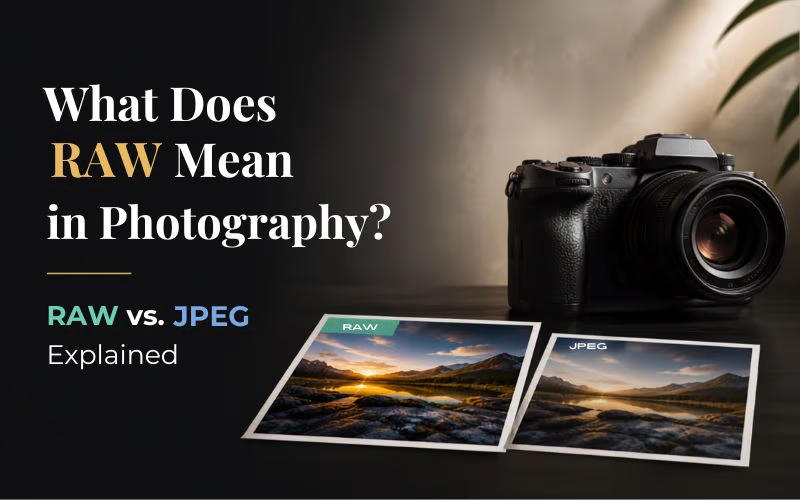
Not all photo files are created equal. While JPEGs are ready to share, RAW files preserve far more detail and editing flexibility. In this guide, we’ll explain what does RAW mean in photography, compare RAW vs JPEG, and help you decide which format is right for you.
Table of contents
- So, What Does RAW Mean in Photography?
- Why Do Photographers Shoot In RAW?
- Which Cameras Can Shoot RAW?
- Common RAW File Extensions
- RAW vs JPEG: What’s the Difference?
- Visual Comparisons of RAW vs JPEG
- What Can You Recover in a RAW File?
- The Biggest Drawbacks of RAW
- Do Beginners Need To Shoot In Raw?
- Related Photography Guides
- Frequently Asked Questions
So, What Does RAW Mean in Photography?
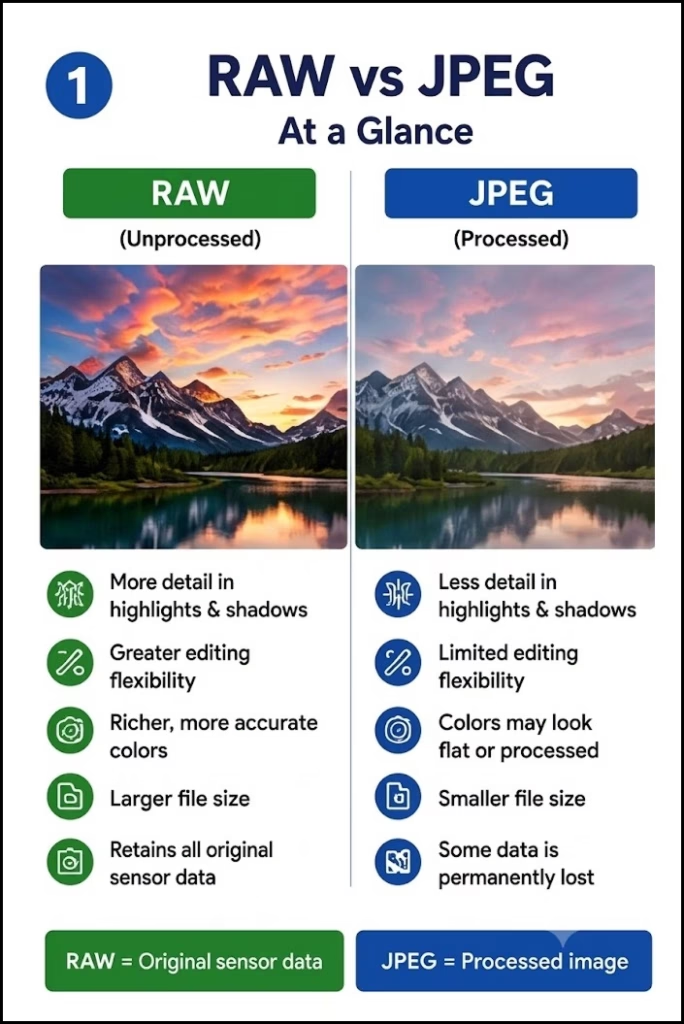
A RAW file is an unprocessed image file that contains all the data captured by your camera’s sensor. Unlike JPEG files, RAW images aren’t compressed or heavily processed inside the camera, giving you much more flexibility when editing your photos later.
Think of it this way:
- RAW = the original ingredients
- JPEG = the finished meal
A RAW file keeps nearly all the information your camera records, while a JPEG throws away some of that data to create a smaller, ready-to-use image.
So, what are RAW photo files? They are digital negatives. Just as film negatives were developed into final photographs, RAW files are edited before becoming the finished image.
That’s why professional photographers almost always choose RAW when image quality matters.
Want to speed up your editing workflow? Explore these AI Tools for Photographers to Save Time and Boost Creativity.
Why Do Photographers Shoot In RAW?
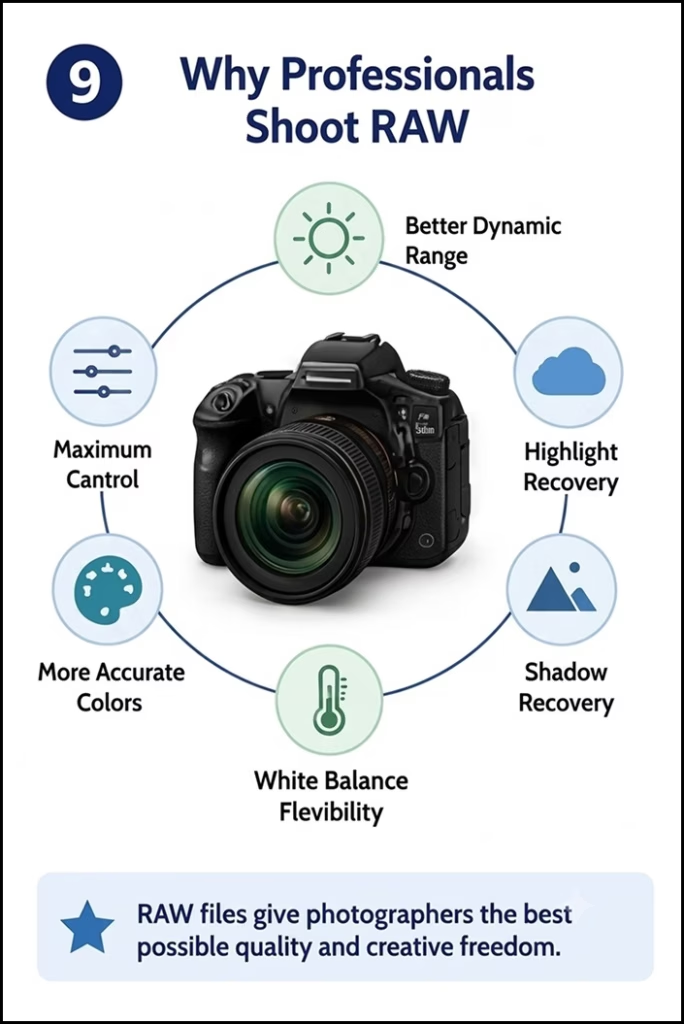
One of the most common questions beginners ask is, why do photographers shoot in RAW?
The answer is simple: RAW files give photographers much more control over the final image.
If your photo is slightly underexposed or the highlights are too bright, a JPEG leaves you with little room for editing. A RAW file instead gives you way more control. And that makes it easier to pull back the small details, plus dial in the whole look a bit more precisely, without really hurting the image quality.
Some of the biggest advantages of shooting RAW include:
1. Better Dynamic Range
RAW files preserve more highlight and shadow detail. That means bright skies and dark foregrounds are easier to balance during editing.
2. More Accurate Colors
Since RAW files store much more color information, you can make color adjustments without creating strange artifacts or banding.
3. Flexible White Balance
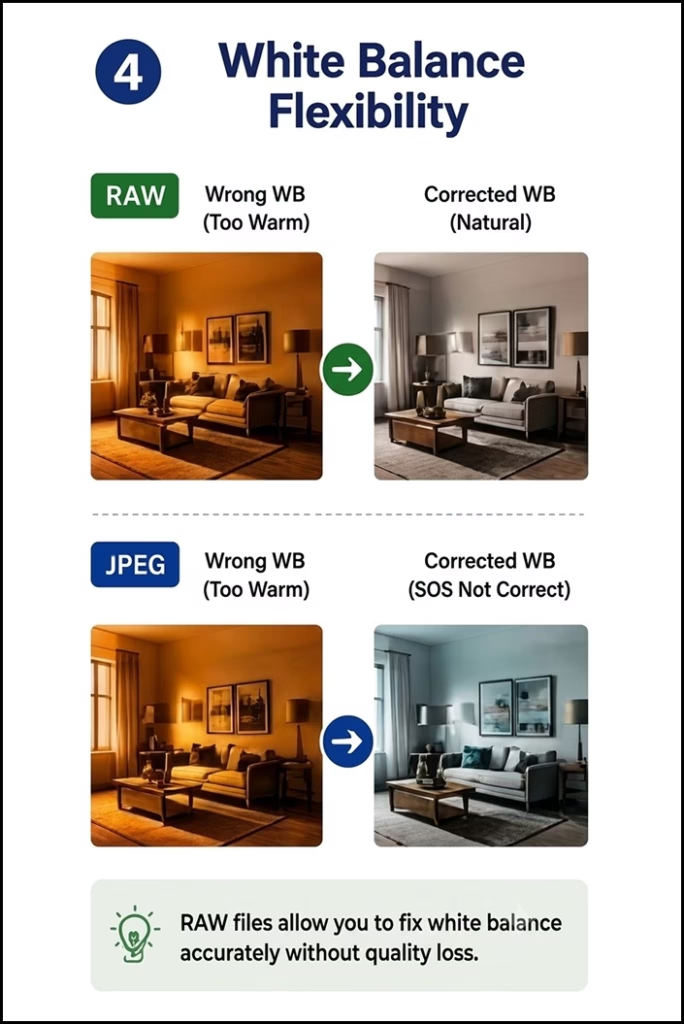
Shot your image under the wrong lighting? No problem. White balance can be adjusted much more accurately in a RAW file than in a JPEG.
4. Higher Editing Freedom
Exposure, contrast, shadows, highlights, and colors can all be adjusted much more aggressively while maintaining excellent image quality.
Simply put, RAW file photography gives photographers a safety net. It lets you fine-tune your photos long after you’ve pressed the shutter.
Which Cameras Can Shoot RAW?
The good news is that you don’t need a professional camera to shoot RAW.
Most modern cameras support RAW capture, including:
- DSLR cameras
- Mirrorless cameras
- Premium compact cameras
- Many smartphones with Pro mode or RAW support
Popular brands that offer RAW include:
- Canon
- Nikon
- Sony
- Fujifilm
- Panasonic
- Olympus
- Leica
Smartphones like the iPhone Pro (Apple ProRAW) and many Android flagship devices can capture RAW images. This makes advanced photo editing accessible to mobile photographers as well.
If you’re unsure whether your camera supports RAW, check the image quality settings in your camera menu or look up your camera’s specifications.
Choosing the right camera is just as important as choosing the right file format. Check out our guide, Best Camera for Beginners in 2026 – What to Actually Buy?
Common RAW File Extensions
Although every camera captures RAW images, not all manufacturers use the same file extension.
Here’s a quick overview:
| Camera Brand | RAW Extension |
|---|---|
| Canon | .CR2 / .CR3 |
| Nikon | .NEF |
| Sony | .ARW |
| Fujifilm | .RAF |
| Olympus | .ORF |
| Panasonic | .RW2 |
| Adobe | .DNG |
Don’t worry if your camera uses a different extension. They all serve the same purpose: preserving as much image data as possible for editing.
Planning to print your photos? Our guide Glossy vs Matte Photos: Which Print Type Is Best for You? (Full Guide) explains which finish delivers the best results.
RAW vs JPEG: What’s the Difference?
The biggest difference in the RAW vs JPEG debate comes down to one thing:
Editing flexibility.
Here’s how they compare:
| Feature | RAW | JPEG |
|---|---|---|
| Image Quality | Excellent | Good |
| Editing Flexibility | Very High | Limited |
| File Size | Large | Small |
| Dynamic Range | More Preserved | Less Preserved |
| White Balance Adjustment | Easy | Limited |
| Ready to Share | No | Yes |
| Best For | Editing & Professional Work | Everyday Use & Quick Sharing |
Think of JPEG as a photo that’s already been edited by your camera.
Before saving a JPEG, your camera automatically applies:
- Sharpening
- Noise reduction
- Contrast adjustments
- Color enhancements
- Compression
The result is a smaller file that’s ready to share immediately.
RAW files skip all of those automatic edits. Instead, they save the original sensor data, giving you complete creative control over how your final image should look.
RAW files give you more editing flexibility, but proper exposure begins with understanding camera aperture settings.
Visual Comparisons of RAW vs JPEG
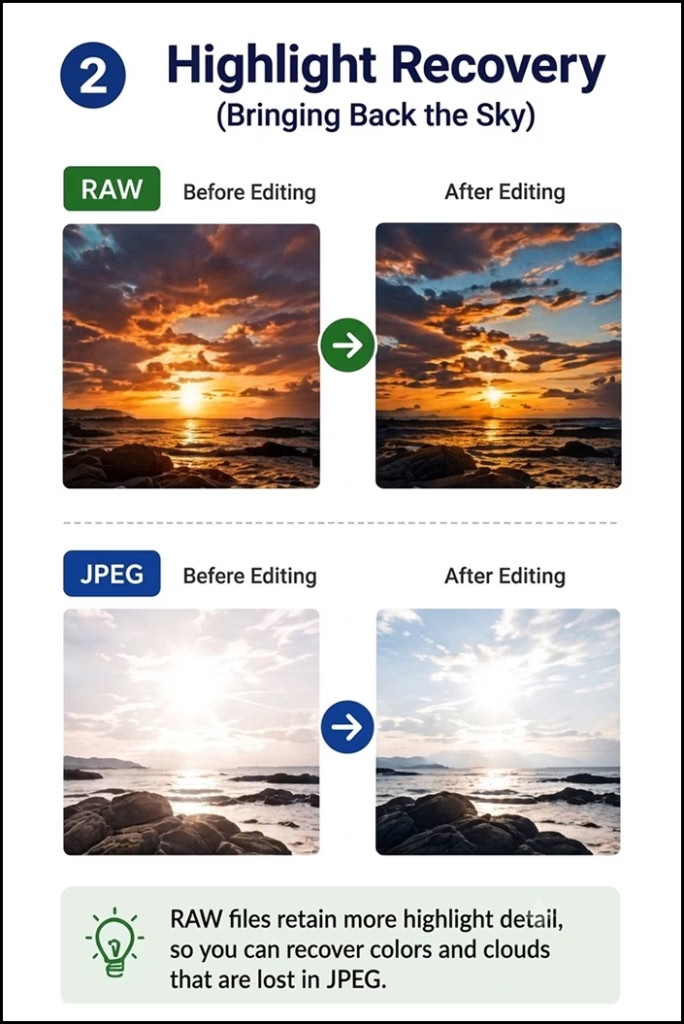
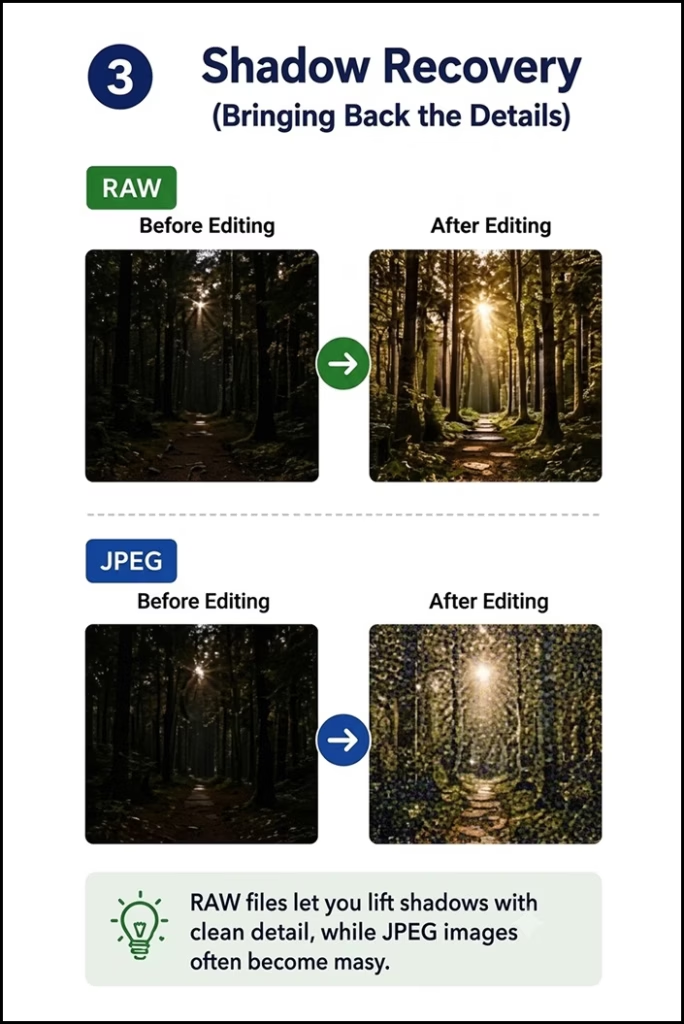
You don’t always notice the difference between RAW and JPEG when viewing them side by side straight out of the camera.
The real difference appears during editing.
When Should You Shoot in JPEG?
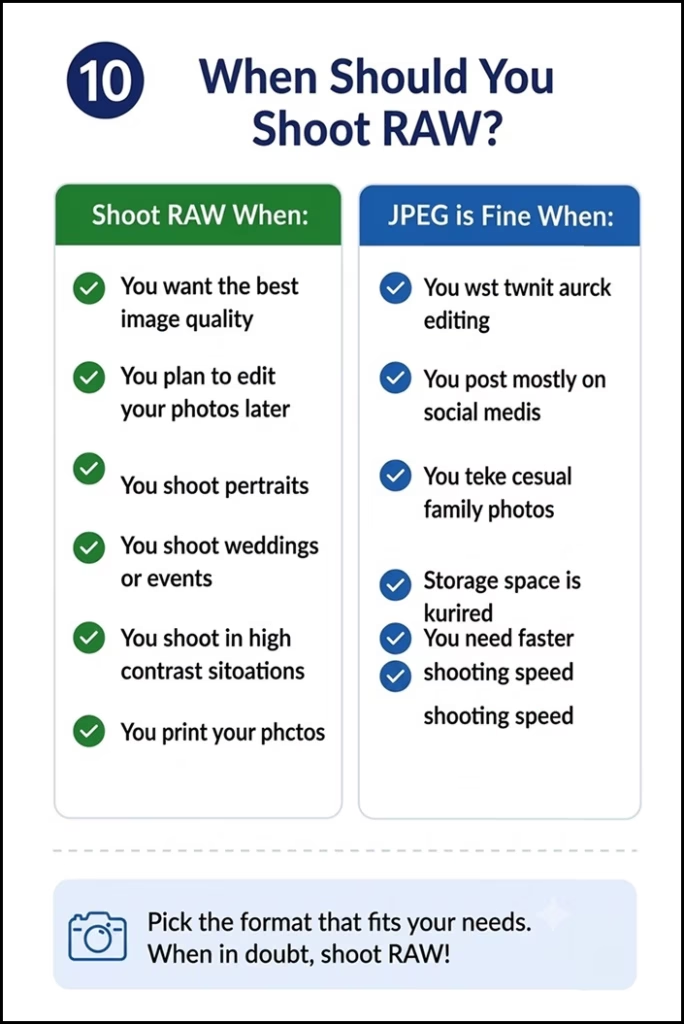
Choose JPEG when:
- You want photos that are ready to share straight out of the camera.
- You don’t plan to edit your images extensively.
- You’re taking casual photos like family gatherings, vacations, or everyday moments.
- Storage space is limited, as JPEG files are much smaller than RAW files.
- You need to shoot continuously (such as sports or wildlife), where smaller files help your camera shoot longer bursts.
- You need a fast workflow, such as for events or same-day photo delivery.
When Should You Shoot in RAW?
Choose RAW when:
- You plan to edit your photos using software like Lightroom or Photoshop.
- Image quality is your top priority, especially for prints or professional work.
- You’re photographing high-contrast scenes, such as sunsets, landscapes, or backlit portraits, where recovering highlights and shadows is important.
- The photo is too important to risk, as RAW files are more forgiving if your exposure isn’t perfect.
- You want greater control over white balance, colors, sharpness, and noise reduction during editing.
- You have enough storage space, since RAW files are significantly larger than JPEGs.
When Should You Shoot in Both RAW & JPEG?
Choose RAW + JPEG when:
- You’re new to RAW and want a ready-to-use JPEG while learning how to edit RAW files.
- You need to share photos immediately, but also want the flexibility to edit the RAW version later.
- You’re photographing a once-in-a-lifetime moment such as a wedding, vacation, wildlife encounter, or special event, and want both convenience and maximum image quality.
- You want a backup option, using the JPEG for quick viewing and the RAW file for future edits.
- Your camera has sufficient storage, since saving both formats takes up more memory card space.
What Can You Recover in a RAW File?
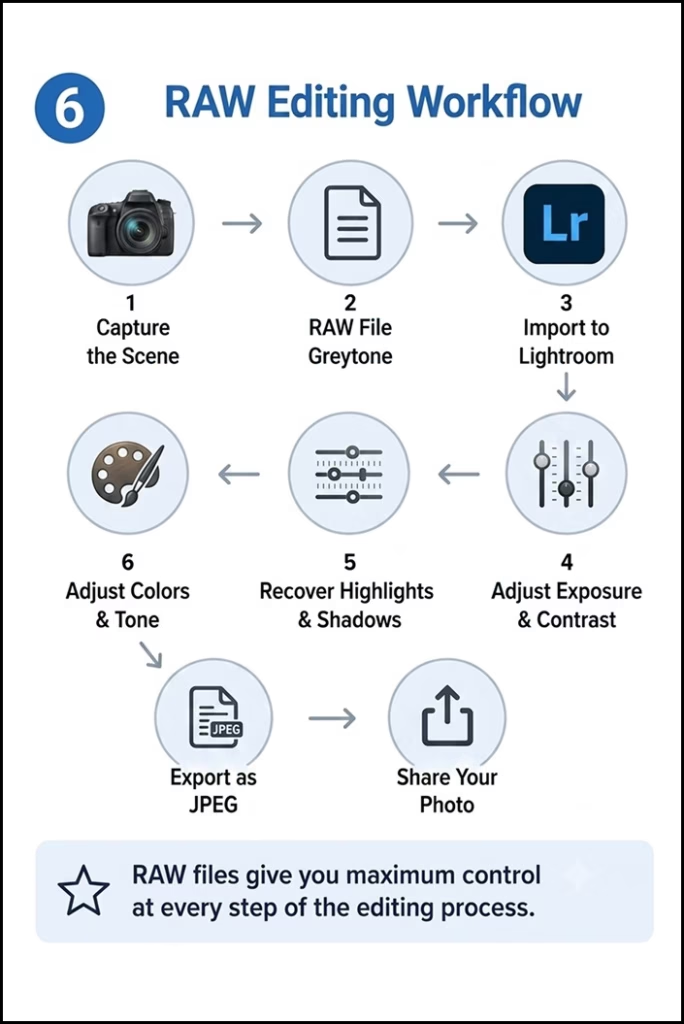
One of the biggest advantages of RAW photography is how much information remains available during editing.
Here are some common adjustments that are much easier with RAW files:
- Recover Highlight Details: Bring back cloud textures and sky colors that appear blown out in JPEG images.
- Lift Shadow Details: Brighten dark areas while preserving more detail and reducing visible noise.
- Correct White Balance: Fix photos that look too warm or too cool without sacrificing image quality.
- Improve Exposure: Minor exposure mistakes are often much easier to fix using RAW files.
- Fine-Tune Colors: Adjust saturation, vibrance, and individual color channels with much greater precision.
Although RAW files provide incredible flexibility, they’re not magic. Extremely overexposed or blurry images still can’t be completely repaired.
Good photography always starts with proper exposure and composition.
After editing your RAW photos, choosing the right export format matters. Our guide JPEG vs PNG: Which Image Format Should You Use? explains the differences.
The Biggest Drawbacks of RAW
Despite all its advantages, RAW isn’t perfect. Here are a few things to consider before switching completely.
1. Large File Sizes
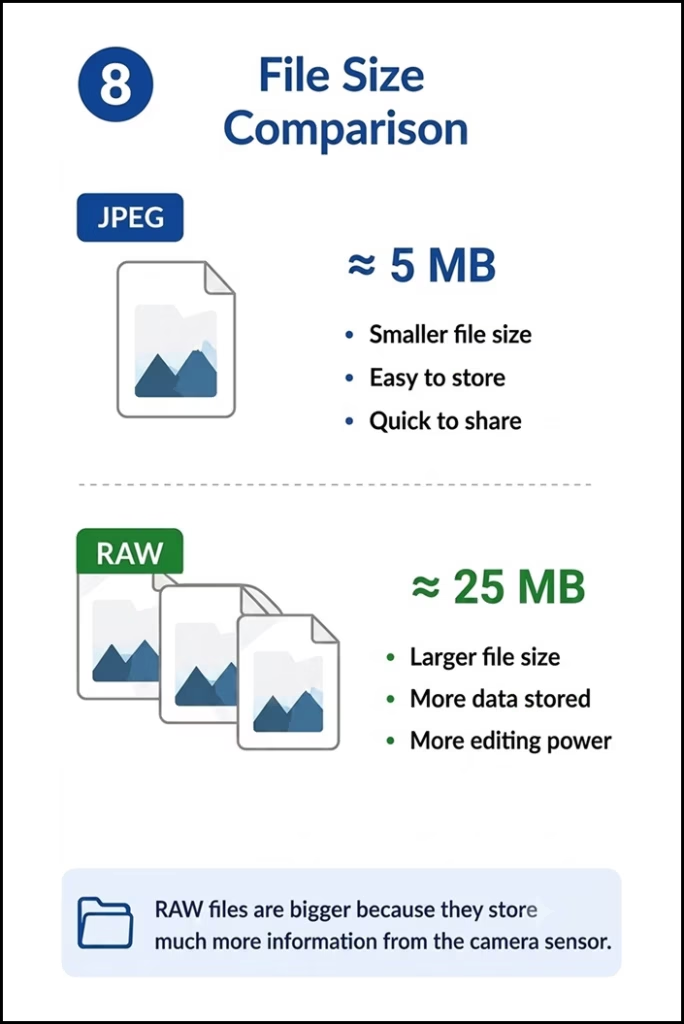
RAW images are significantly larger than JPEGs, meaning they’ll fill your memory cards and hard drives much faster.
2. Requires Editing
RAW photos usually look flatter and less vibrant straight out of the camera because they haven’t been processed yet. You’ll need editing software like Adobe Lightroom, Adobe Camera Raw, Capture One, or similar programs to get the best results.
3. Slower Workflow
Since every image needs post-processing, editing RAW files takes more time compared to simply sharing JPEGs directly from your camera. For photographers who need to deliver images immediately, JPEG may still be the better choice.
Do Beginners Need To Shoot In Raw?
Beginners do not need to shoot in RAW. If you want to share photos immediately or are overwhelmed by learning camera settings alongside photo editing, shooting in JPEG is perfectly fine. However, RAW files retain much more data, offering a safety net for editing exposure and color mistakes later.
The Pros & Cons for Beginners
- JPEG: Images are processed directly by the camera and are ready to share. They take up less memory, but if your shot is too bright or the colors are off, it is very difficult to fix them without ruining the image quality.
- RAW: RAW files are essentially digital negatives. They store all the data captured by the sensor, allowing you to easily recover details in shadows, tone down bright skies, and correct white balance long after the photo was taken. The downsides are larger file sizes and the requirement of post-processing software (like Adobe Lightroom) to make them look good.
Final Comments
So, what does RAW mean in photography? It means capturing your photo in its most complete form.
Understanding what RAW means in photography is the first step toward taking greater control of your images. While JPEG is perfect for quick sharing and everyday photography, RAW gives you the flexibility to recover details, fine-tune colors, and create higher-quality edits. Choose the format that best fits your needs.
Related Photography Guides
- Mirrorless vs DSLR Camera: Which One Should You Buy?
- What Is The Rule Of Thirds? The Easy Composition Trick Behind Better Photos
- What is HDR Photography – Meaning, Uses, Gear & More
Frequently Asked Questions
Q.1 Is RAW better than JPEG?
Ans. RAW is better if you plan to edit your photos, as it preserves more image data and offers greater flexibility. JPEG is better for quick sharing and smaller file sizes.
Q.2 Can I convert RAW to JPEG?
Ans. Yes. You can easily convert a RAW file to JPEG using photo editing software like Adobe Lightroom, Photoshop, or other RAW editors after making your desired edits.
Q.3 Does shooting RAW make my camera take better photos?
Ans. No. RAW doesn’t improve your camera’s capabilities, but it captures more image data, giving you more control to enhance your photos during editing.
Q.4 Do professional photographers always shoot RAW?
Ans. Most professional photographers shoot in RAW for maximum image quality and editing flexibility. However, they may use JPEG for fast-paced assignments where quick delivery is more important.
Q.5 Can smartphones shoot RAW?
Ans. Yes. Many modern smartphones, especially flagship models, support RAW capture through Pro mode or dedicated camera apps like Apple ProRAW or Android Camera2 API.
Q.6 Why are RAW files so large?
Ans. RAW files are larger because they store nearly all the data captured by the camera’s sensor with minimal processing or compression, preserving maximum image quality for editing.