High-End Beauty Retouching
Learn the art of flawless, natural beauty retouching with pro techniques used in high-end editorials, no filters, no shortcuts.
By Nello Johnson
Your Progress
Enroll Now
7h 15m
Duration
9
Video lessons
Lessons
-
• Set Up a High-End Beauty Retouching Workflow
-
• Retouch Beauty Portraits Using the Glamour Panel
-
• Prepare the Image Before Retouching
-
• Fix Skin Flaws with Precision Editing
-
• Remove Unwanted Hair and Flyaways in Photoshop
-
• Remove Blemishes and Distractions in Photoshop
-
• Edit Faster with Powerful Photoshop Actions
-
• Apply Automatic Dodge and Burn for Natural Retouching
-
• Retouch Outdoor Portraits with a Step-by-Step Workflow
Quick Summary
Set up a professional 16-bit retouching workflow
Clean skin using the Healing Brush without losing texture
Use the Clone Stamp tool for texture recovery
Master manual Dodge & Burn for sculpting and tone correction
Enhance eyes, lips, and facial structure naturally
Retouch hair by removing frizz and adding shine
Apply final color grading and contrast adjustments
Categories: All Tools, Mastering Photoshop Path, Photo Retouching, Plus Masterclasses, PW Course, Retouching & Editing Path
 Product Downloads
Class Materials Included
 Product Downloads
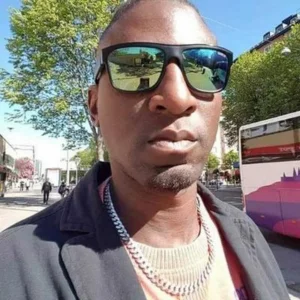
ABOUT INSTRUCTOR
Nello Johnson
Nello Johnson is a professional photographer who specializes in skin retouching photography. He also works in glamor photography. On PhotoWhoa, he is offering his product - Glamour Retouching Photoshop panel- at a discounted price.
View Instructor's Classes
1h 7m$199.00$0
1h 31m$299.00$0- The Art Of Therapeutic Photography For Creative GrowthDanny Bittencourt
1h 2m$299.00$0
2h 42m$299.00$0- Color Grading & Color Correction Course In PhotoshopMac Moses Michael
3h 10m$299.00$0
1h 15m$299.00$0