High-End Beauty Retouching
Photography Masterclasses

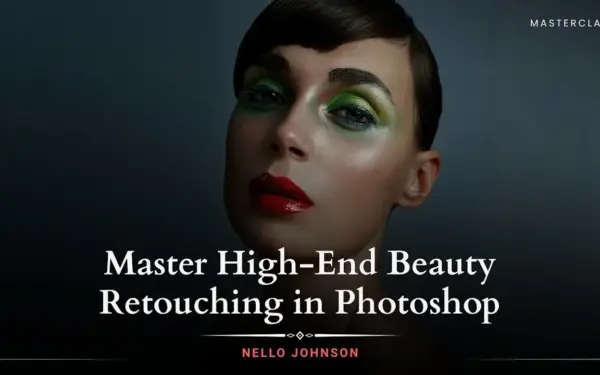
Master High-End Beauty Retouching in Photoshop

Enhancing every detail with precision while preserving natural texture, depth, and realism so your work looks refined, high-end, and never over-edited.
6.9 hours
8 Lessons
Practice Files

Access ALL masterclasses with PhotoWhoa PLUS

What You'll Be Able To Create

This beauty retouching tutorial helps you build a complete, professional workflow for retouching in Photoshop.

Flawless Skin Retouching

Achieve clean skin using professional skin retouching in Photoshop while preserving natural texture

Detailed Eye Retouch

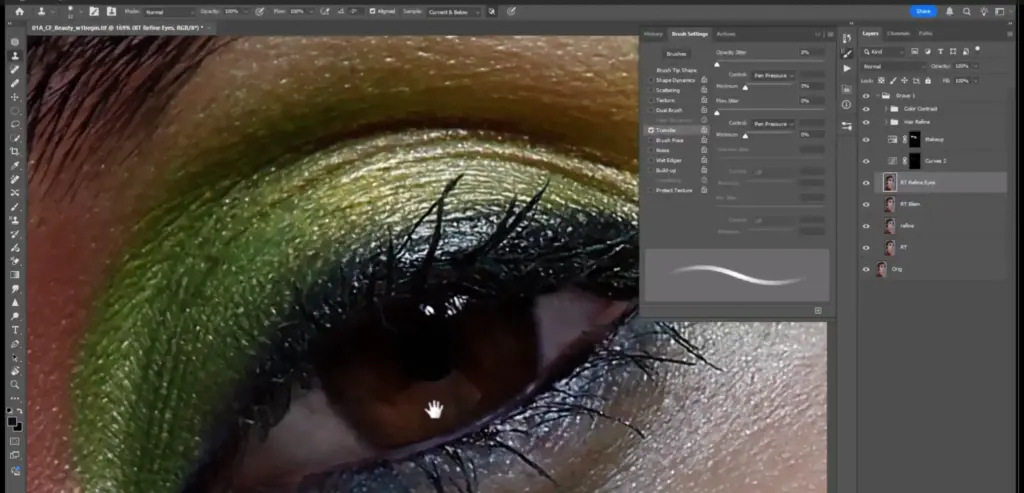
Enhance sharpness, brightness, and depth using eye retouching Photoshop techniques

Refined Lips & Features

Improve tone and color with subtle lips retouching Photoshop adjustments

Sculpted Beauty Portraits:

Use dodge and burn retouch to shape light, depth, and facial structure

Editorial-Level Images

Create polished, magazine-quality beauty portraits that look natural—not over-edited

This Is What Your Retouched Images Could Look Like

Explore the kind of clean, detailed, and natural beauty edits you’ll be able to create.
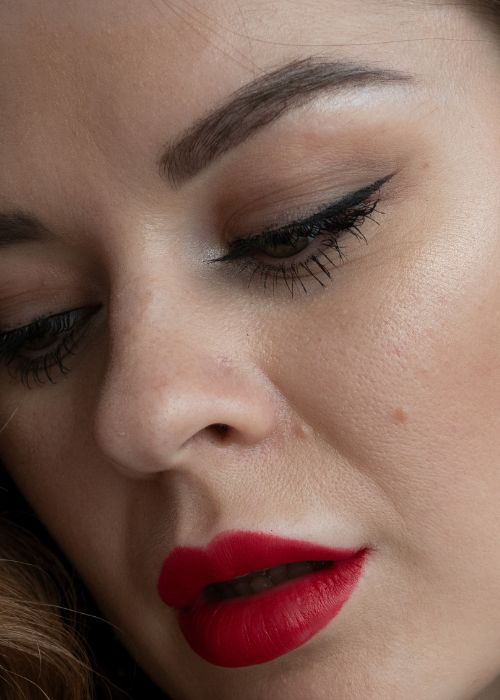
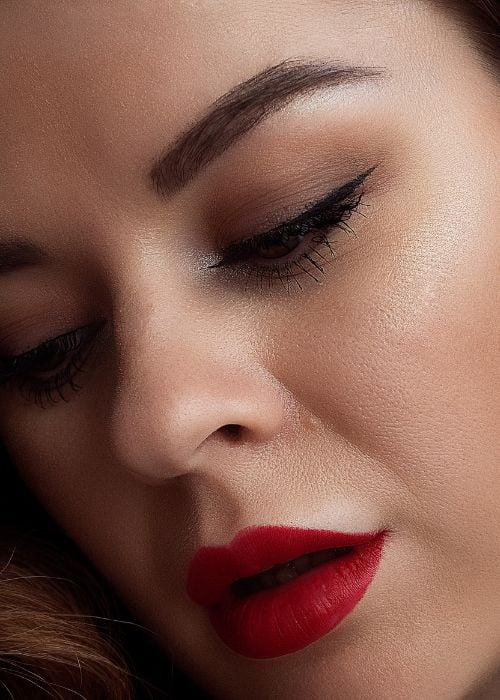
Photoshop skin retouching showing smooth yet natural skin texture
Professional skin retouching in Photoshop before and after result
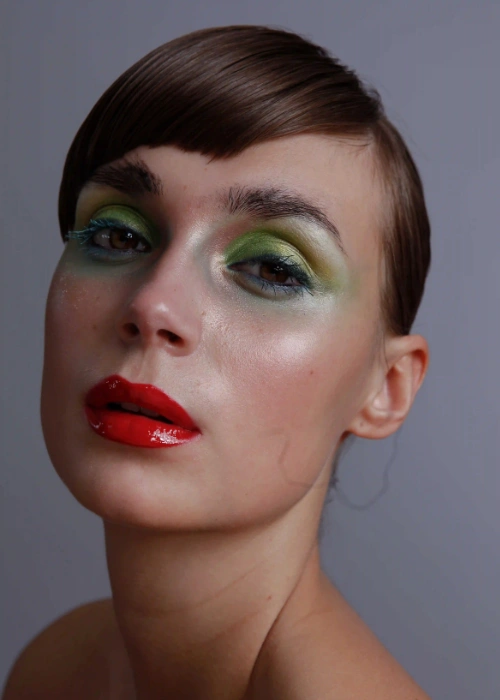
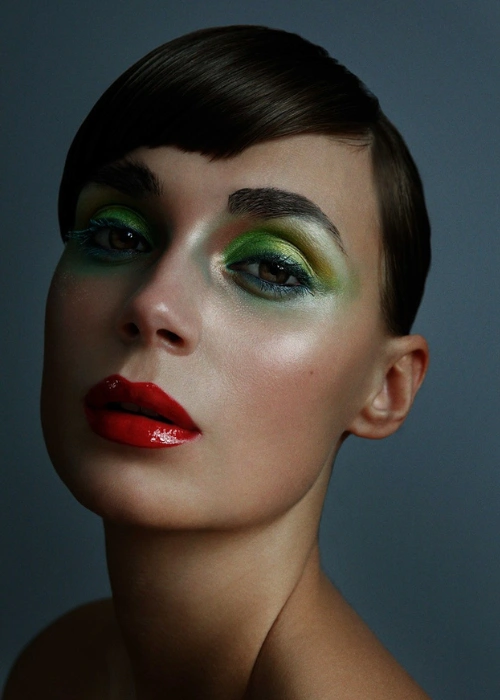
Retouching in Photoshop workflow for high-end beauty editing
Beauty portrait edited with advanced photoshop skin retouching

What This High-End Retouching Masterclass Is About

Every great portrait starts with a raw image. But what makes it stand out is the refinement that follows. This beauty retouching tutorial is designed to help you enhance images without making them look artificial.

You’ll learn how to:

  • Retouch skin while keeping natural texture intact
  • Use dodge and burn retouch to sculpt light and depth
  • Enhance facial features like eyes, lips, and eyebrows
  • Work with intention instead of over-editing
  • Build a consistent, professional retouching workflow

This isn’t about heavy edits—it’s about subtle, controlled improvements that elevate your work.
What You’ll Learn in This Online Retouching Class

Master the tools, techniques, and workflow needed to create high-end beauty portraits.
Eye retouching Photoshop improving sharpness and brightness
Set up a professional 16-bit retouching workflow
Achieving clean skin using the Healing Brush without losing texture
Clone Stamp tool for texture recovery
Manual Dodge & Burn for sculpting and tone correction
Enhancing eyes, lips, and facial structure naturally
Retouching hair by removing frizz and adding shine
Applying final color grading and contrast adjustments

Lessons Breakdown

focused lessons designed for practical application. Each lesson builds on the previous, taking you from fundamentals to advanced techniques.

lesson 1

High-End Beauty Retouching Lesson 1

3h 10m 28s
lesson 2

High-End Beauty Retouching Lesson 2

50m 41s
lesson 3

High-End Beauty Retouching Lesson 3

7m 27s
lesson 4

High-End Beauty Retouching Lesson 4

20m 51s
lesson 5

High-End Beauty Retouching Lesson 5

29m 51s
lesson 6

High-End Beauty Retouching Lesson 6

25m 10s
lesson 7

High-End Beauty Retouching Lesson 7

14m 51s
lesson 8

High-End Beauty Retouching Lesson 8

1h 11m 57s

Continue Your Learning Journey With Guided Path

This masterclass is part of the Photo Retouching & Editing Learning Path — a structured journey designed to help photographers and retouchers create polished, high-end images using professional beauty retouching, skin editing, color grading, and workflow techniques.

Foundations

Core Techniques

Creative Mastery

Advanced Workflows

Build advanced retouching skills and learn how to make magazine-quality beauty edits with confidence.

Who Is This Retouching Masterclass For?

  • Beginner Retouchers — Learn the fundamentals of professional skin retouching in Photoshop
  • Portrait Photographers — Create clean, editorial-quality beauty images
  • Intermediate Editors — Improve precision and avoid over-retouching
  • Beauty & Fashion Creators — Master eye retouch, lips retouching, and detailed edits
  • Freelancers & Professionals — Build a consistent and high-end retouching workflow
Nello Johnson

Expert Instructor

Nello Johnson

Nello Johnson is a professional photographer who specializes in skin retouching photography. He also works in glamor photography. On PhotoWhoa, he is offering his product - Glamour Retouching Photoshop panel- at a discounted price.

View instructor’s classes

Frequently Asked Questions

Beauty retouching is the process of enhancing portraits by refining skin, correcting tones, and improving facial features while maintaining natural texture. In Photoshop, this is typically done using tools like the Healing Brush, Clone Stamp, and Dodge & Burn techniques.

Yes. Techniques preserve natural skin texture while improving clarity, tone, and highlights.

High-End Beauty Retouching teaches professional editorial techniques, blending precision, artistic vision, and efficient workflows to create polished, magazine-quality portraits.

Professional retouchers usually combine techniques such as frequency separation, Healing Brush cleanup, texture cloning, and manual Dodge & Burn to smooth skin while preserving natural texture. This method ensures the image looks polished but not artificial.

Yes. This tutorial is suitable for beginners and intermediate photographers who want to learn professional retouching techniques. The lessons explain each step of the workflow clearly so you can follow along even if you are new to beauty retouching.

Yes. This tutorial is designed for Adobe Photoshop, as the techniques demonstrated—such as Healing Brush cleanup, Clone Stamp texture recovery, and Dodge & Burn retouching—are performed using Photoshop tools.

Yes. The techniques taught in this masterclass can significantly improve portrait retouching, especially when working with beauty, fashion, and glamour photography.

To preserve skin texture, professionals avoid excessive blur and instead use tools like the Healing Brush, Clone Stamp, and manual Dodge & Burn to correct imperfections while maintaining natural detail.

Yes, including enhancing clarity, brightness, and natural detail.

You’ll learn healing, cloning, and dodge and burn retouch techniques to preserve texture.

Get PhotoWhoa PLUS

Unlock this masterclass and 70+ more for one low annual price

What's included:

$99

/year

Price locked once you subscribe. Cancel anytime.

Get instant access to ALL masterclasses with PhotoWhoa PLUS

In-Depth Classes
1 +
Hours of Practical Training
1 +
Expert Instructors
1 +

Join photographers worldwide improving their skills with PhotoWhoa PLUS

Become a PhotoWhoa Charter Plus Member

Unlock Luca Storelli's
Free AI Workflow Lesson

Learn how photographers create cinematic AI imagery using Midjourney, Magnific AI, and Photoshop.

3-minute lesson • Instant access

No spam. Just world-class photography education.

Access With Plus