

Photoshop Noise Reduction Tutorial
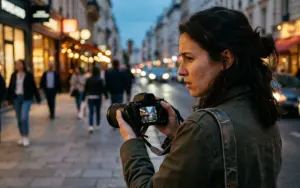
If you like shooting at night, like I do, noise can be an issue. But if you thought there was nothing you could do about it, you’re wrong. Because in this video, you’ll learn a short-and-sweet (oh jeez that’s how I do it!) method to removing and hiding noise in your digital photographs. It only takes a few steps using Photoshop’s Camera Raw filters. In fact, photoshop noise reduction so simple and uncomplicated that telling you more would make the video unnecessary. So watch it for yourself. It’s really great.
Looking to improve your editing skills? This retouching learning path covers everything from basic enhancements to advanced editing workflows.
Enjoy!
Frequently Asked Questions
Q.1 How do you remove noise from a photo in Photoshop?
Ans. You can reduce noise in Photoshop using its noise-reduction tools and filters. The key is to apply the effect carefully so you reduce unwanted grain and color noise without making the image look overly smooth or losing important detail.
Q.2 What causes noise in digital photographs?
Ans. Photo noise is commonly caused by shooting at high ISO settings, using long exposures, or photographing in low-light conditions. It appears as unwanted grain, speckles, or color artifacts throughout an image.
Q.3 How do you reduce noise without losing detail in Photoshop?
Ans. Apply noise reduction selectively and avoid excessive smoothing. Adjusting luminance and color noise separately can help clean up the image while preserving important textures, edges, and fine details.
Q.4 What is the best Photoshop tool for removing photo noise?
Ans. Photoshop includes dedicated noise-reduction controls that allow you to reduce both luminance and color noise. The appropriate settings depend on the amount and type of noise in the photograph.
Q.5 Can Photoshop remove noise from low-light photos?
Ans. Yes. Photoshop can significantly reduce noise in photographs taken in low-light conditions. However, extremely noisy images may still have limitations because aggressive noise reduction can remove some fine image detail.
Q.6 How do you remove grain from a photo in Photoshop?
Ans. You can reduce unwanted grain by applying Photoshop’s noise-reduction tools and adjusting the settings gradually. Preview the result at 100% magnification to make sure the photograph remains detailed and natural.