Dark Skin Retouching In PhotoShop
Learn pro tools, plugins, and techniques to create flawless, natural, and striking portraits with ease.
By Nello Johnson
Your Progress
Enroll Now
2h 7m
Duration
5
Video lessons
Lessons
-
• Master The 4 PhotoShop Retouching Tools
-
• Basic Understanding Of PhotoShop Plugins & Panels
-
• Learn How To Organize & Crop Your Images
-
• Masterclass Dark Skin Retouching In PhotoShop Part 1
-
• Masterclass Dark Skin Retouching In PhotoShop Part 2
Quick Summary
Set up Photoshop for retouching
Use Patch Tool, Spot Healing Brush, Clone Stamp, and Paint Brush
Work with Infinite Color Panel, Retouch4Me, Portraiture, and Glamour Retouch Panel
Organize, rate, and crop images before editing
Smooth skin and remove bumps
Retouch hair, eyebrows, lips, and neck
Fill hair naturally using Clone Stamp
Enhance portraits with Portraiture filters
Master Dodge & Burn techniques
Edit and refine facial expressions
Perform detailed eye and makeup retouching
Apply hair-enhancing tricks for depth and shine
Use advanced Dodging & Burning with Retouch4Me
Apply professional color edits for striking results
Categories: All Tools, Mastering Photoshop Path, Photo Retouching, Plus Masterclasses, PW Course, Retouching & Editing Path
 Product Downloads
Class Materials Included
 Product Downloads
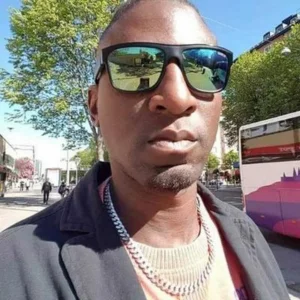
ABOUT INSTRUCTOR
Nello Johnson
Nello Johnson is a professional photographer who specializes in skin retouching photography. He also works in glamor photography. On PhotoWhoa, he is offering his product - Glamour Retouching Photoshop panel- at a discounted price.
View Instructor's Classes
1h 7m$199.00$0
1h 31m$299.00$0- The Art Of Therapeutic Photography For Creative GrowthDanny Bittencourt
1h 2m$299.00$0
2h 42m$299.00$0- Color Grading & Color Correction Course In PhotoshopMac Moses Michael
3h 10m$299.00$0
1h 15m$299.00$0