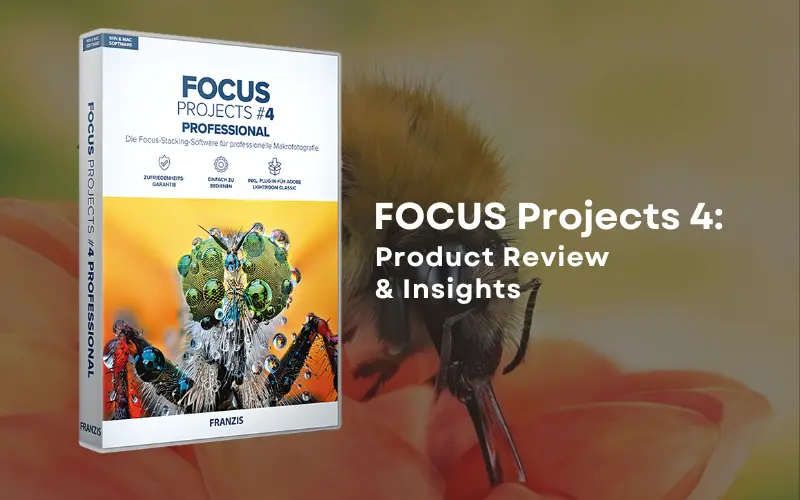
FOCUS Projects 4 Professional offers you all the tools you need for crystal clear images, every single time. In this product review, we take a close look at this powerful focus-stacking software, highlighting the reasons for which we reckon it to be one of the best in the market presently.
Aah, those pesky, grainy images! Strain your eyes incessantly – and yet you cannot see clearly. Well, the problem is not in your vision. Instead, it is about the lack of sharpness in images that you are seeing.
Unfortunately, blurred images lacking clarity dominate the world around us.
Now, if you are an aspirant (or even an established) photographer keen to produce sharp images consistently, then you have come to just the right place since we are here to introduce you to FOCUS Projects 4 Professional.
Table of contents
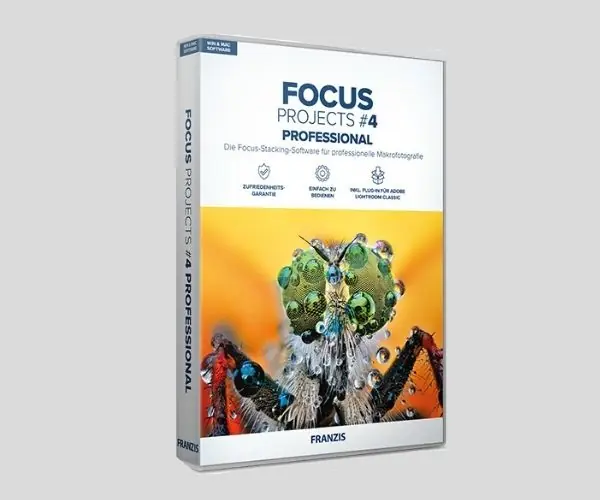
What is FOCUS Projects 4 Professional?
FOCUS Projects 4 Professional is image sharpening software that visibly enhances the sharpness of your images. Using this program, you can ensure that your images are consistently very sharp and crystal-clear.
At its very core is the concept of focus-stacking. Now, you must be wondering what that is? Well, to avoid excessive technical parlance, it is a unique photographic technique where multiple frames are combined into a solitary composite image.
How does this make a difference, you might ask? Well, it is because the end result has a depth of field which is virtually impossible to achieve while taking pictures the usual way.
Two instances when you will especially experience the dilemma of images lacking depth of field are:
- While taking macro shots, and
- When there is something happening both in the foreground as well as in the background while taking landscape images.
Focus stacking proves particularly useful in both these situations. The key aspect to understand here is the fact that you will find it extremely challenging to achieve the desired depth of field optically. With focus stacking though, creating sharper images will prove to be a breeze.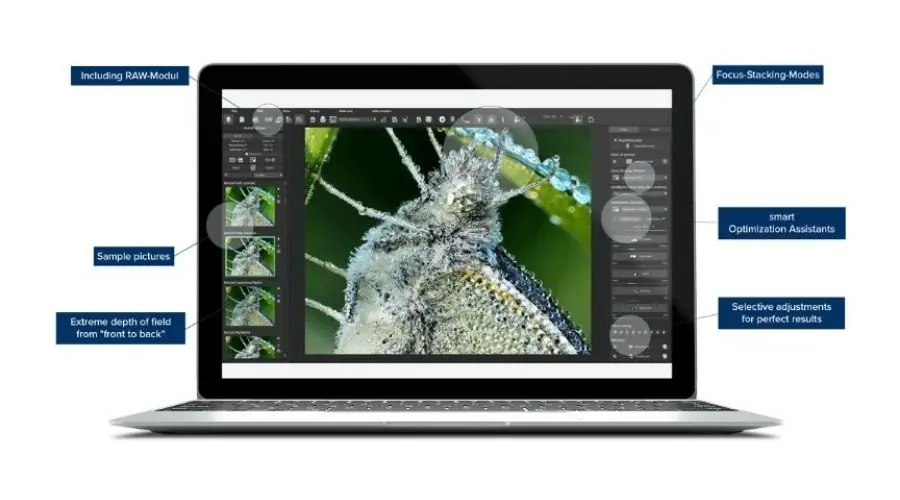
FOCUS Projects 4 Professional features
There are unique features specific to image sharpening software FOCUS Projects 4 Professional which enables the program to ensure razor-sharp results in your images consistently:
- Images in your stack align themselves with a very high and unique level of precision.
- There are as many as 1000 sharpness levels.
- A robust plugin for Adobe Lightroom is conveniently included.
- 62 professional presets are included in the program, allowing rapid image sharpening.
- Several sharp images can be created together thanks to batch processing.
Additional features specific to Version 4 of FOCUS Projects Professional include the following:
- An all-new Focus boost technology that results in even greater sharpness.
- HQ stacking is done with a precise 64-bit calculation.
Thanks to these exemplary features, you are assured of stunning macros with breathtaking detailing, consistently. The depth of focus on them is unparalleled too.
In fact, you can think of a variety of situations where FOCUS Projects 4 Professional proves pricelessly handy:
- Landscape photography
- Macro photos of nature
- Product photography
- Microscopic photography
- Vividly capturing still life
- Any other situation where detailing and sharpness in your images is quintessential
Before

After

Ease Of Use
Over the course of our review of this image sharpening software, we especially focused on its ease of use. After all, this is one of the most critical factors determining the rate of adoption of a novel image-enhancing program in the market.
As we used FOCUS Projects 4 Professional, we were amazed by how easy it was to enhance the sharpness of images with just a few clicks. There was no prolonged learning curve required.
We simply took several images the same way we usually do. The program automatically adjusted the depth of field on our images, to what can easily be referred to as near perfect levels. It also lent us additional control with selective image retouching and special filters.
Recommended System Requirements
For all its power, FOCUS Projects 4 Professional has relatively basic recommended system requirements. These are summarized below:
- PC – Windows 10/8/7, 64 Bit (32 Bit Minimum), Processor Intel I5 (Processor Core Duo Minimum), 4 GB HDD, 2 GB HDD,1.280 x 1024 Pixels Screen Resolution, Graphics Card: DirectX-8-compatible, 128 MB, 32 Bit Color Depth
- Mac – Mac OS X ab 10.7, 64 Bit, Processor Intel/G5, 4 GB HDD, 2 GB HDD, 1.280 x 1024 Pixels Screen Resolution
Cost
Given its exemplary capabilities, it is no surprise that newbies to the program often presume a very high cost for it. Well, you will be surprised since that is not the case at all. $99 is all it takes for you to obtain and use this outstanding image sharpening software program.
The deal is even sweeter right here on PhotoWhoa where you can get this amazing tool for just $39. This is a limited-time offer so make sure you grab it before it is gone!

Recommended System Requirements
Summing up all that we have discussed in this review, we would emphasize the difficulty of consistently producing sharp and clear images, in the absence of image sharpening software like FOCUS Projects 4 Professional.
We are well aware of photographers who have honed their profession for years, if not decades, who still find it challenging to repeatedly produce crystal clear images; and when they do, it takes enormous effort and time. FOCUS Projects 4 Professional helps save on both in a big way.
Alongside, as we highlighted in the previous section, the program does not cost a fortune even at its regular price. And keeping in mind the sweeter deal here on PhotoWhoa, it is practically a steal!
Taking all these aspects into consideration, we summarily conclude our review of FOCUS Projects 4 Professional by emphasizing upon its usefulness, to the extent that it is practically unavoidable for all photographers aspiring to produce sharper images consistently.
Frequently Asked Questions
1. What is the best software to sharpen images?
The best overall photo sharpening software is Topaz Photo AI, which uses adaptive artificial intelligence to automatically correct blur, camera shake, and focus errors.
2. What is the best free image sharpening software?
You can sharpen your images for free online using tools like the Adobe Express Image Sharpener or Canva.
3. How do I sharpen my blurry image?
You can sharpen a blurry image quickly using online AI enhancement tools or advanced editing software like Photoshop.
4. Can ChatGPT sharpen a blurry photo?
ChatGPT cannot truly “unblur” or recover hidden details from an original photo, but it can generate a sharp, new image that mimics your blurry input.
5. What is the best free AI sharpen image?
PicWish is widely considered one of the best free online tools for sharpening and unblurring images using AI.
6. Is sharpen AI free?
Topaz Sharpen AI is a paid desktop software, but it offers a 30-day free trial with full features.
7. Is there a free AI image sharpener available?
You can sharpen blurry images for free online using tools like Canva or EzEnhancer.
8. Can I sharpen a photo with AI?
Yes, you can sharpen a blurry photo using AI tools that analyze pixels to reconstruct lost details rather than just boosting edge contrast.
9. How to sharpen a blurry photo for free?
You can fix blurry photos for free using online AI-powered enhancement tools that sharpen details and remove camera shake in seconds.