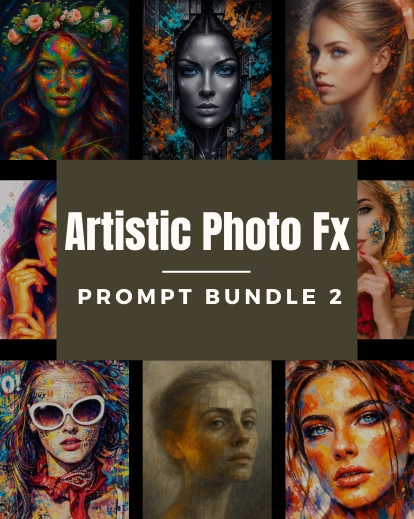


















Transform Your Photos In Few Clicks With Photoshop Photo Actions Pack
After spending hours sometimes the photos simply don’t look appealing. That doesn’t mean you have to spend all the time in the world editing pictures, the primary job is to be creative. That’s why get these Photoshop photo actions.
This Photoshop photo action pack has some of the actions you will simply love. It’s because they can bring out the best in your pictures. Using some of the best free Photoshop actions is surely a great way to help you save time.
If you have spent any time on Photoshop at all, you’d know how fussy it can all get, so by using Photoshop photo actions you will be able to speed up your process and as a result, help you to save hours.
Photoshop actions are like little scripts that you can use to edit images without any complex method. With just a few clicks, you can apply these Photoshop actions to your photos. Whether you want to edit a bunch of photos in the same style or try out new creative ideas, these actions are a great way to make your work easier and seamless.
Features Of The Photoshop Actions
- 20 amazing actions for stunning edits
- You can use these actions for both personal and commercial projects.
- One-click actions
- Easy-to-use actions
- Supports batch processing across multiple images.
What Includes In This Pack
- Beaming Sunlight
- Black & White Craze
- Blue Mood
- Gold Glam
- Gold Rush
- Golden Ways
- Green Song
- Highlight
- Invert Love
- Lomo Haze
- Maroony Loony
- Mystic Times
- Old Grumble
- Poster Look
- Red Fantasy
- Sombre
- Tubelight
- Vivid Love
- Yellow Gaze
- Yellow Hue
Compatibility
- Compatibility with CS3 to CC
- Element 14.
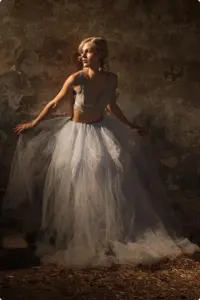
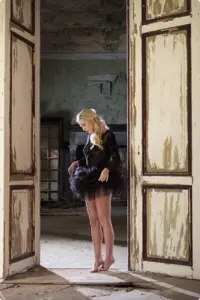
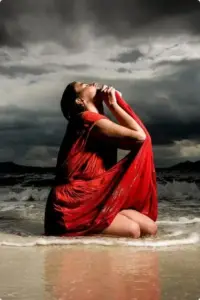
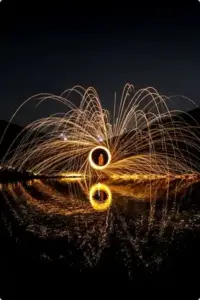
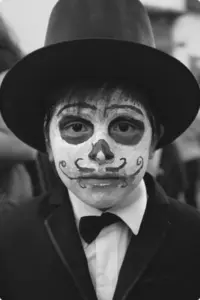
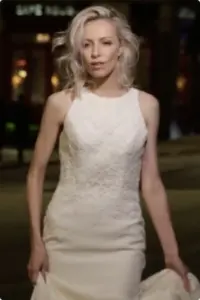
Before/After Glimpse Of Adobe Photoshop Actions
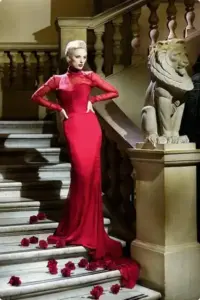
Maroony Loony
Highlight Photoshop Action
Lomo Haze
Mystic Time
Yellow Hue
Green Song Photoshop Action
Effortless Workflow With These Photoshop Actions
Photoshop can be difficult when you are just starting out, learning all the tools can be overwhelming sometimes. That’s why Photoshop photo actions are one way you can easily apply effects to your photos without stressing about the tools making it easier and time-saving for your work.
Photoshop Actions provides a way to apply complex Photoshop effects with a single click, allowing you to achieve professional-looking results without the need to master every tool.
These are the best Photoshop actions to experiment with. For each Photoshop ATN file, you can get an interesting Photoshop effect. These actions can inspire you to try new styles and techniques that you might not have considered before.
They make the editing process more efficient, consistent, and enjoyable. This saves time in the future and ensures that your unique style is consistently applied to all your work.
Frequently Asked Questions
What kind of effects are included in this pack?
This bundle includes 20 creative effects like black & white, golden tones, vintage looks, color boosts, and moody styles.
Will these actions slow down my Photoshop?
No. These actions are lightweight and optimized to run smoothly without affecting performance.
Can beginners really get professional results with these?
Yes. These actions are designed to give professional-looking edits instantly, even if you’re just starting out.
Will these actions work for all lighting conditions?
They work across most images, but you may get the best results by slightly adjusting exposure or contrast after applying.


Collin Anderson –
The “200+ Free Christmas Overlays Bundle” is awesome. Can’t wait to create some Christmas images.
Maurice Thomas –
Fantastic deals for excellent prices, definitely worth investing
Rick –
Great support as well as products!