Cinematic Fantasy Composition – From AI Concept to Final Artwork
Photography Masterclasses

Cinematic Fantasy Composition – From AI Concept to Final Artwork

A complete AI art class that teaches you how to combine AI concept art, 3D modeling in Maya, and photo compositing in Photoshop to build stunning, portfolio-worthy visuals.
7.7 hours
25 Lessons
Practice Files

Access 80+ masterclasses with PhotoWhoa PLUS

What You'll Be Able To Create

Build high-end cinematic compositions using AI, 3D, and Photoshop workflows

Cinematic Fantasy Scenes

Create immersive worlds using AI concept art and storytelling techniques

3D-Enhanced Visuals

Design custom assets with 3D modeling in Maya and integrate them seamlessly

Advanced Photo Composites

Blend elements using photo compositing in Photoshop for realistic results
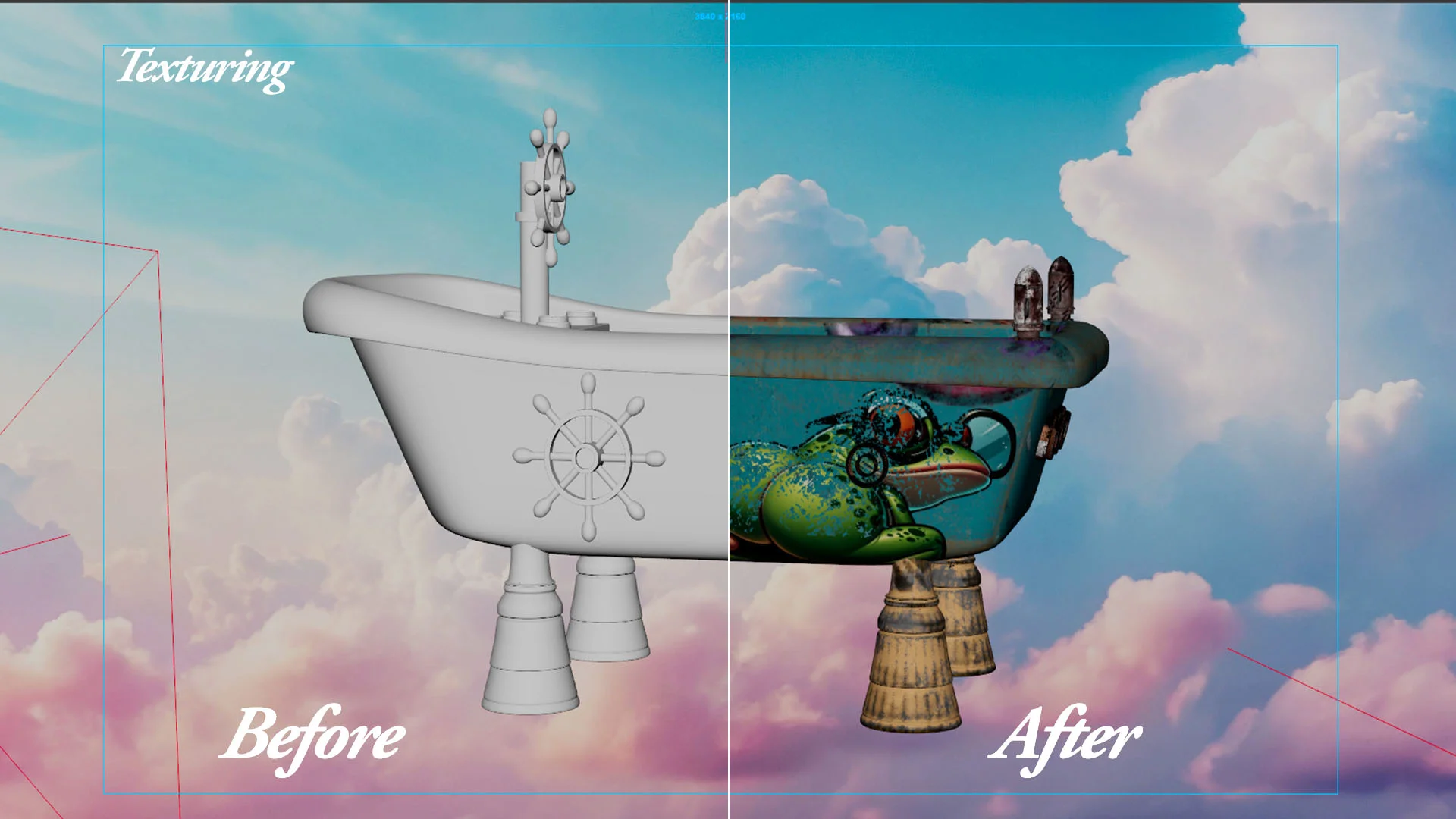
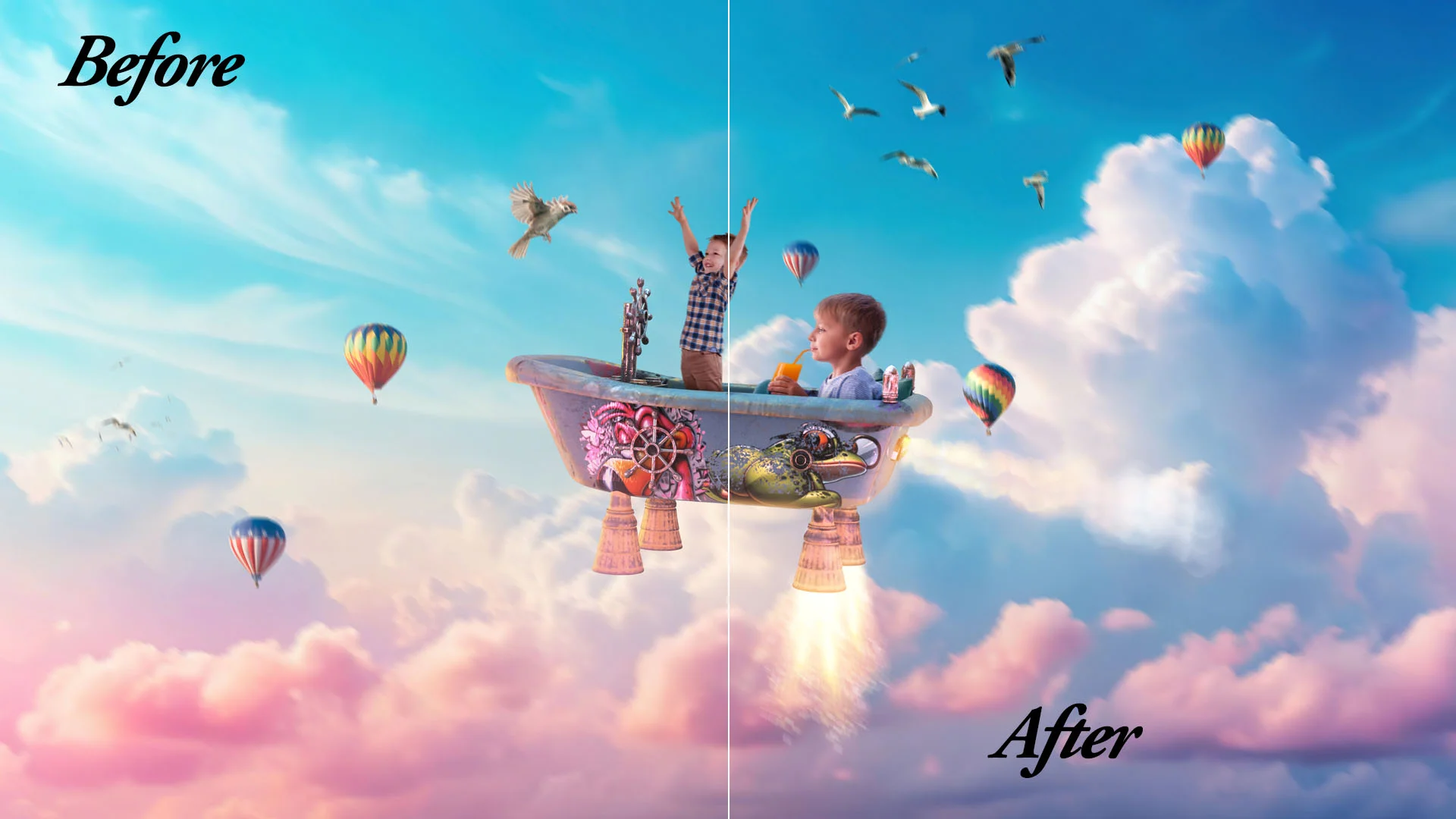
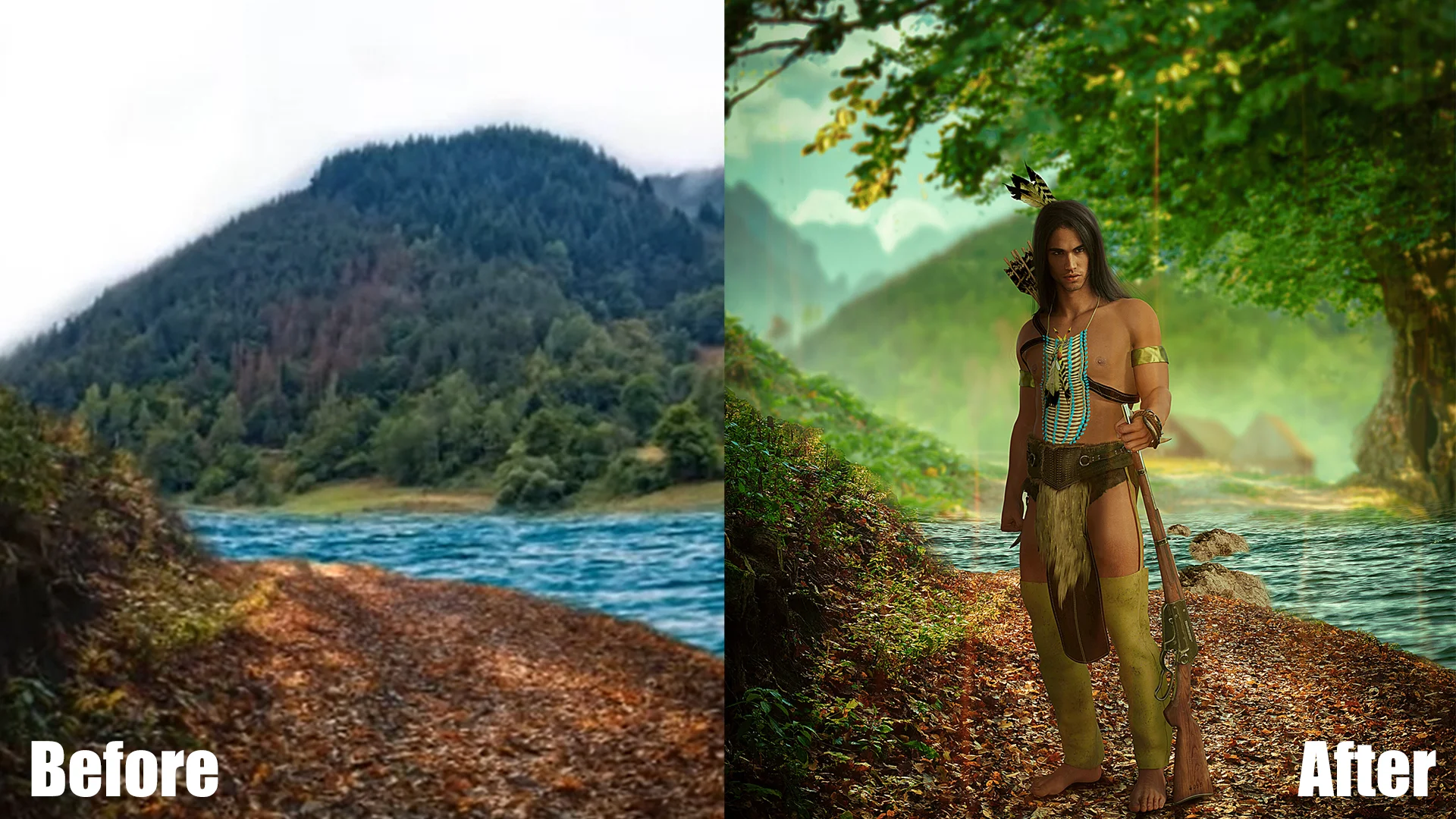
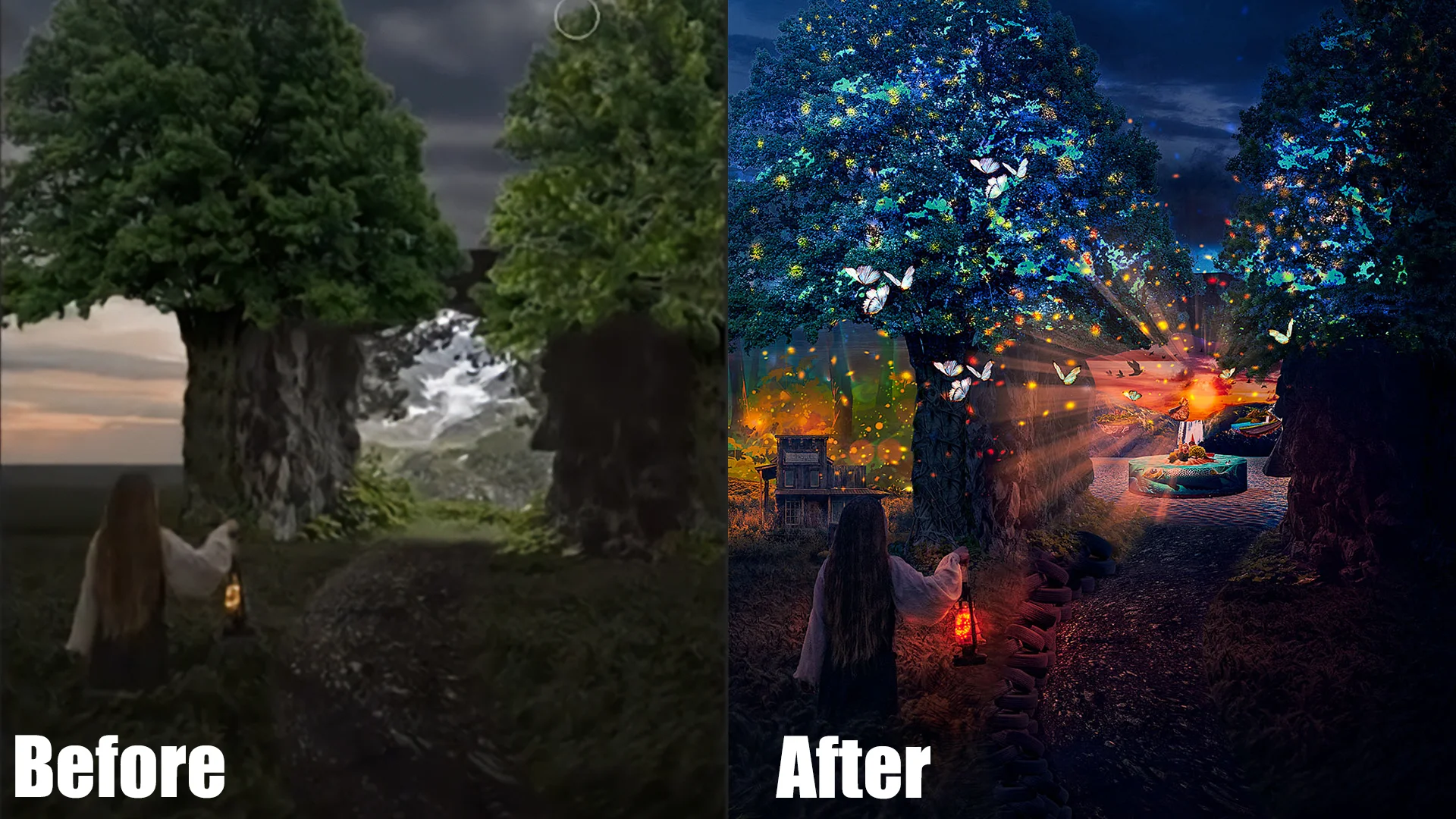
This Is What Your Photos Will Look Like Wile Processing

From raw ideas to finished masterpieces, this AI art class helps you create stunning AI digital art using real production workflows.
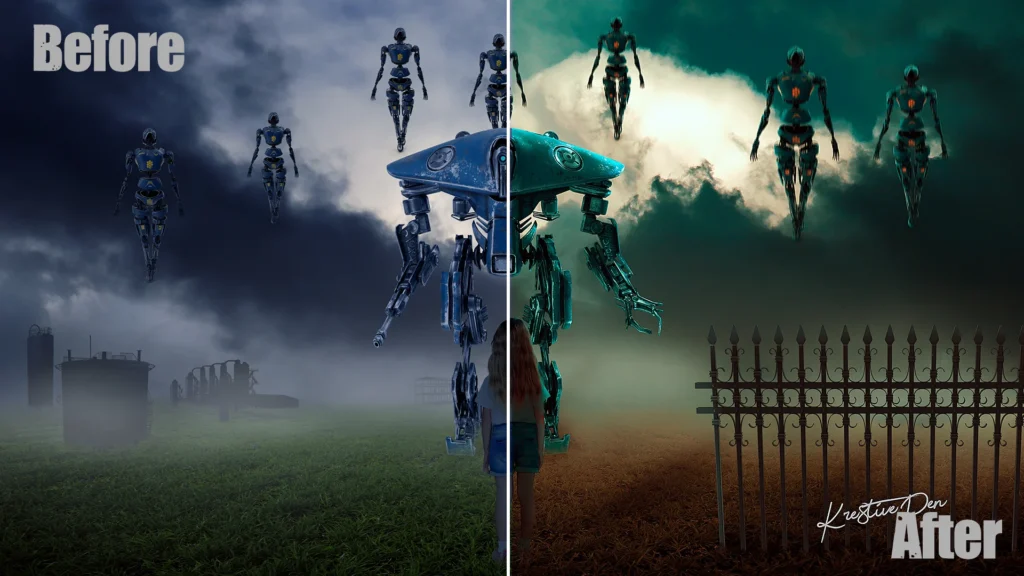
Cinematic color grading applied to fantasy digital artwork
Photo compositing in Photoshop combining AI and 3D elements
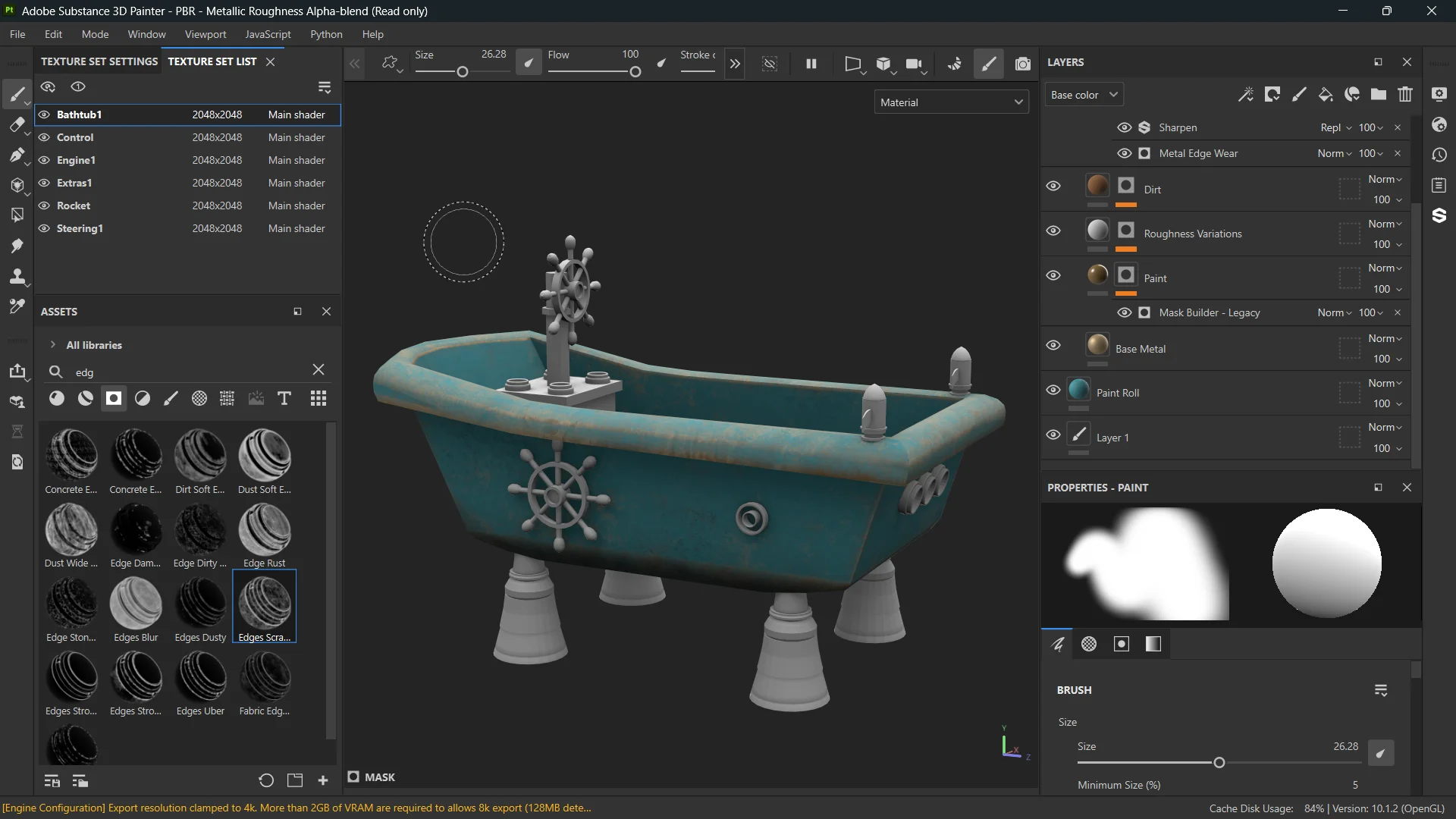
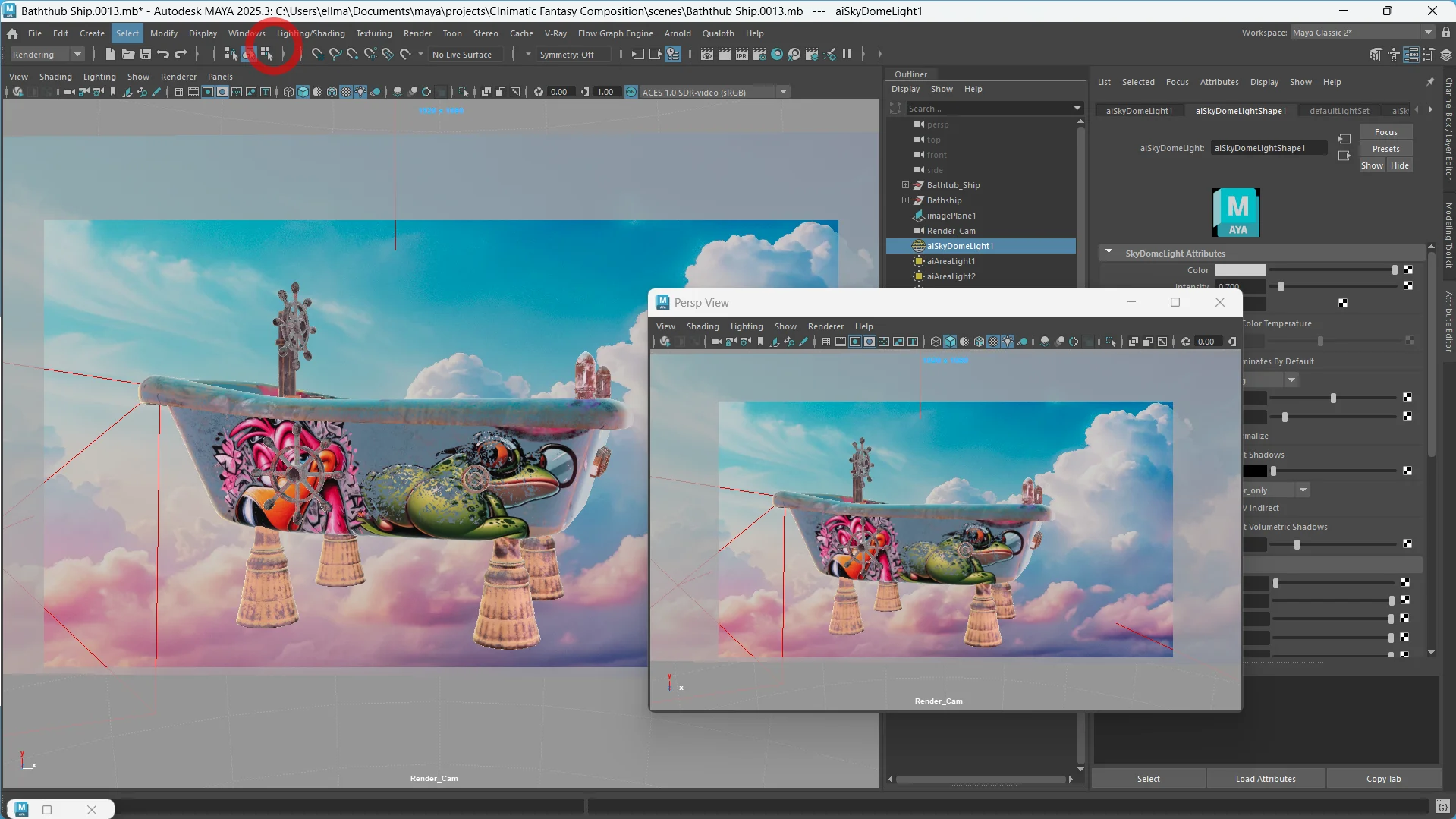
beautiful composite creation using maya software
learn how to create 3d model and use it for compositing
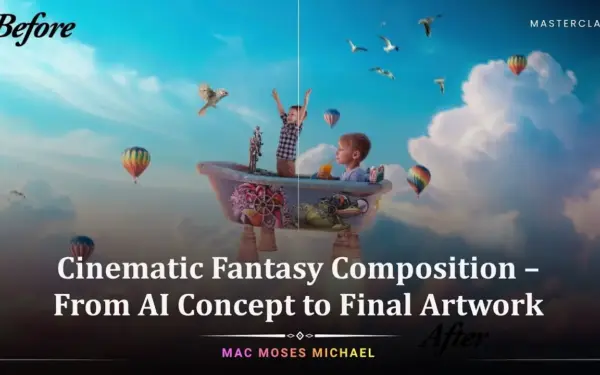
Fantasy artwork created with AI concept art and Photoshop compositing
AI for artists using multiple tools for creative scene building

What This AI Art Class Is All About

Creating cinematic fantasy artwork used to require multiple specialized skills, but now; AI changes everything.

In this AI art class, you’ll learn how to combine AI concept art, 3D modeling in Maya, and photo compositing in Photoshop into one seamless creative workflow.

You’ll discover:

  • How to generate ideas using AI art tutorials and concept workflows
  • How to build assets while getting started in 3D with Maya
  • How to merge everything using photo compositing in Photoshop
  • How to enhance visuals with cinematic color grading

This isn’t just theory, it’s a practical, start-to-finish system designed for AI for artists who want real results.
What You’ll Learn In This AI Art Class

Master the tools, workflows, and techniques behind cinematic AI artwork
AI digital art workflow for creating cinematic fantasy compositions
Complete workflow for creating AI concept art from scratch
Fundamentals of 3D modeling in Maya for cinematic assets
Step-by-step photo compositing in Photoshop techniques
How to apply professional cinematic color grading
Enhancing images using AI photo post processing
Lighting techniques for realistic cinematic scenes
Using AI art tutorials to refine creative direction

Lesson Breakdown

Focused lessons designed for practical application. Each lesson builds on the previous, taking you from fundamentals to advanced techniques.
lesson 1

Gathering References & Planning Your Cinematic Composition

19m 10s
lesson 2

AI Concept Art: Best Practices for Generating Visual Ideas

15m 48s
lesson 3

Extracting AI Concept Art Elements for the Final Composition

4m 55s
lesson 4

Maya Basics: Interface Setup & Creating a New Project

5m 57s
lesson 5

3D Modeling in Maya: Blocking Out the Basic Shape

21m 37s
lesson 6

3D Modeling in Maya: Adding Detail to Your Model

33m 12s
lesson 7

3D Modeling in Maya: Refining Model Details

28m 10s
lesson 8

3D Modeling in Maya: Developing Complex Details

24m 39s
lesson 9

3D Modeling in Maya: Finalizing the Model Details

23m 31s
lesson 10

UV Mapping in Maya: Preparing Your 3D Model for Texturing

16m 48s
lesson 11

Maya UV Layout: Unwrapping & Exporting Your 3D Model

13m 11s
lesson 12

Substance 3D Painter: Texturing Your 3D Model

33m 51s
lesson 13

Applying Substance Painter Textures in Maya

5m 21s
lesson 14

Maya Lighting: Creating Realistic Lighting for Your Scene

34m 5s
lesson 15

Rendering in Maya: Setting Up Your Final Render

10m 46s
lesson 16

Creating the Final 3D Render for Compositing

1m 57s
lesson 17

Finding Stock Photos for Cinematic Compositing

4m 22s
lesson 18

Matching Perspective & Lighting for Realistic Compositing

26m 50s
lesson 19

Adding 3D Models to Your Photoshop Composite

19m 36s
lesson 20

Creating Atmospheric Effects for Cinematic Depth

32m 25s
lesson 21

Advanced Atmospheric Effects for Realistic Composites

29m 35s
lesson 22

Cinematic Color Grading for AI & 3D Composites

7m 34s
lesson 23

Preparing Your Final Artwork for Portfolio & Print

19m 16s
lesson 24

Final Project: From AI Concept to Finished Artwork

4m 8s
lesson 25

Bonus: Final Artwork Review & Creative Workflow Breakdown

26m 40s

Continue Your Learning Journey With Guided Path

This masterclass is part of the Create AI & Digital Photo Art Learning Path — designed to help creators turn ideas into striking AI-powered artwork with confidence.

Foundations

Core Techniques

Creative Mastery

Advanced Workflows

Explore the complete AI art learning path and keep building your creative editing and visual storytelling skills.

Who Is This AI Art Class For?

  • Artists — Learn AI concept art and cinematic workflows
  • Designers — Combine AI and 3D modeling in Maya for advanced visuals
  • Photographers — Expand into photo compositing in Photoshop
  • Beginners — Start getting started in 3D with Maya and AI tools
  • Digital Creators — Build stunning AI digital art portfolios
  • Creators & Innovators — Explore cutting-edge workflows for AI for artists
Mac Moses Michael

Expert Instructor

Mac Moses Michael

Mac Moses Michael is a Photoshop educator and digital artist who has taught colour grading, compositing, and photo manipulation to thousands of students on Skillshare and Udemy. Self-taught and deeply technical, his courses are built around understanding how colour actually works in Photoshop — not just following presets. He designed this masterclass for photographers who want to stop guessing and start grading with intention.

View instructor’s classes

Frequently Asked Questions

This masterclass teaches how to turn AI-generated concepts into a complete cinematic fantasy artwork using 3D modeling, compositing, lighting, and cinematic color grading.

This masterclass is about 7 hours long and has 26 in-depth lessons.

Yes. There’s a dedicated lesson on finding suitable stock images and preparing them to blend seamlessly with AI and 3D renders.

Yes. You’ll complete a polished cinematic fantasy artwork suitable for portfolio and showcase use.

No this masterclass is not exclusive for plus, you can also purchase this individually without Plus membership.

Yes, this course is designed for beginners and intermediate creators interested in AI digital art. It starts with the basics and gradually introduces advanced techniques for building complete fantasy scenes.

Absolutely. The course covers 3D modeling in Maya step-by-step, making it ideal for those getting started in 3D with Maya as well as artists looking to improve their existing skills.

AI photo post processing involves enhancing images using AI tools for lighting, depth, and fine details. This course shows you how to refine your compositions for maximum realism and impact.

Yes, by the end of the course, you’ll have the skills to create high-quality AI concept art and cinematic compositions that can significantly improve your creative portfolio.

Basic familiarity helps, but it’s not required. The course guides you through photo compositing in Photoshop and 3D modeling in Maya, making it beginner-friendly.

Get PhotoWhoa PLUS

Unlock this masterclass and 80+ more for one low annual price

What's included:

$99

/year

Price locked once you subscribe. Cancel anytime.

Get instant access to ALL masterclasses with PhotoWhoa PLUS

30-Day Money-Back Guarantee

In-Depth Lessons
1 +
Hours of Practical Training
1 +
Expert Instructors
1 +

Join photographers worldwide improving their skills with PhotoWhoa PLUS

Become a PhotoWhoa Charter Plus Member

Access With Plus