


10 Easy Photoshop tips from Terry White
Terry White is one of my favorite YouTube personalities. He’s not about cats, food reviews, unboxing videos, or pranking strangers. He’s the voice you go to when you need to learn about any — ANY — Adobe product.
Personal example, I was asked to learn InDesign recently, and I had no clue where to start. So I did a little research and found out that Terry White’s videos were the go-to beginning source.
After that one video about InDesign, I was able to make a decent mockup. In just one video. So guess what I have for you?
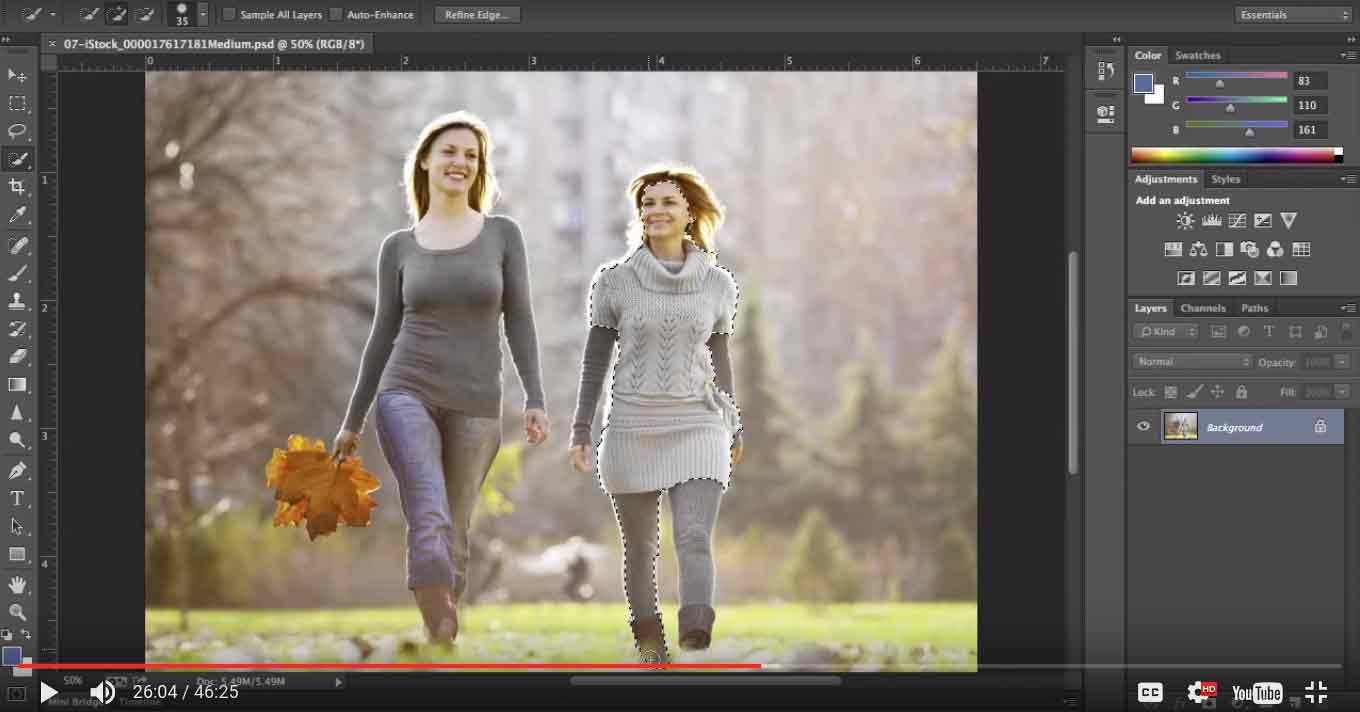
Yes, it’s a video made by the man, the genius, the Adobe evangelist himself, Terry White. In this one, you’ll learn the 10 easy Photoshop tisp every beginner NEEDS to learn about Photoshop. It’s similar to the Indesign video — it’s great. Now go learn some Photoshop.
Enjoy!
Via PetaPixel.
Frequently Asked Questions
Q.1 What Photoshop techniques should every beginner learn?
Ans. Beginners should start with essential skills such as working with layers, making selections, using masks, adjusting brightness and color, retouching, cropping, using brushes, and working with Photoshop’s core editing tools.
Q.2 What is the most important Photoshop technique for beginners?
Ans. Learning how layers work is one of the most important Photoshop skills because layers let you make flexible, editable changes without permanently altering the original image.
Q.3 How do Photoshop layers work?
Ans. Layers work like separate levels stacked over an image. You can edit individual layers independently, rearrange them, change their opacity, and use masks to control which parts are visible.
Q.4 What is a layer mask in Photoshop and why is it useful?
Ans. A layer mask controls which parts of a layer are visible without permanently deleting pixels. This makes it useful for precise, non-destructive editing, such as revealing or hiding parts of an image.
Q.5 How do you make precise selections in Photoshop?
Ans. Photoshop offers several selection tools for isolating specific subjects or areas of an image. The best method depends on the subject, but combining selections with layer masks gives you greater control over the final edit.
Q.6 How can beginners improve photo colors in Photoshop?
Ans. Adjustment tools can be used to correct exposure, brightness, contrast, color, and other tonal characteristics. Making these changes through adjustment layers also allows you to refine them later without permanently changing the original image.