




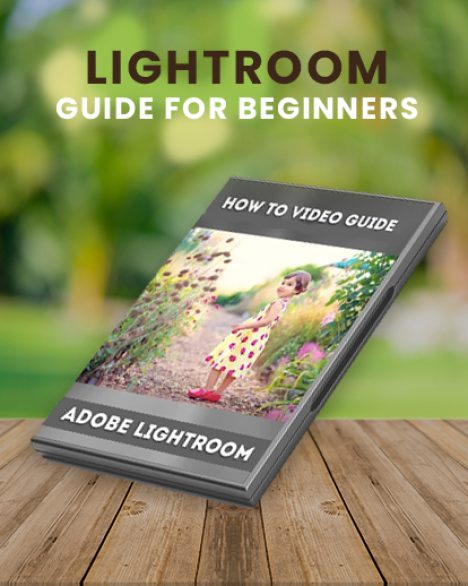



Free Lightroom Course To Transform Your Photography

If you’re struggling with learning Lightroom, this free Lightroom course will surely help you. Even if you’re just getting started as a photographer, this is the perfect lightroom guide for you.
After all, the effects are so compelling, and other photographers speak so highly of how easy it is to use. You can’t help but feel like you’re missing out. So many brushes, so many menus, so many tools. You have absolutely no idea where to start.
That’s when you come to know it would be great to a have adobe lightroom course online free to help you work in an efficient and effective manner.
You might mess around for a while, have some fun. But you’re too intimidated to use it in post-production of a professional photo shoot.
Of course, there is instruction available. A simple Google search turns up a plethora of video tutorials and instructional blog posts.
But not all of these are especially clear or especially helpful. And some of them require an expensive purchase to use. And even the best of them will only scratch the surface of all the things you need to know to be able to use Lightroom effectively.

Topics Covered In This Free Lightroom Training
• Introduction To Lightroom
• White Balance
• Tonal Values
• Presence Panel
• Tone Curves
• HSL/Color Panel
• Split Toning
• Detail Panel
• Lens Correction
• Effects Panel
• Vignette Options
• Camera Calibration
• Black And White
• Photos Tools
• Brush Tool
• Graduated Filter Presets
• Red Eye Removal
• Exporting
• Batch Editing
• History/Snapshots/Presets
• Previous/Reset Button
• Watermarking
• Menus
• Tethered Capture
• Copy/Paste Buttons
• Virtual Copies
• Culling Images
• Library Mode Menus
• Fixing The Time Stamp
• Painter Tool
• Creating A New Catalog
• Collections
• Plugins
• Straighten Tool
• Importing
A Lightroom Guide Like No Other
With so many tools at your disposal, you can create just about anything you envision!
Your work will be able to easily compete with the pros! And your results will be quick, complete and consistent.
Now at last, you have everything you need to master Lightroom. No matter what your level of skill and experience may be.
Even if you are a novice who has never used Lightroom before, you’ll soon find it comes as naturally as breathing.


Imagine being able to get White Balance right with just a click or two. Masterfully using Tone Curves for eye-catching colors. Making the results of your latest photo shoot into glamorous, dramatic black and white.
All that’s required is your own style and creativity to make a masterpiece every time. If you consider yourself a beginner, that’s all about to change.
You are about to head for the photographic “big leagues,” and with this Lightroom guide, there will be no stopping you.
Frequently Asked Questions
What is included in this free Lightroom course?
This beginner-friendly Lightroom course covers essential editing tools, photo organization, color correction, presets, batch editing, exporting, retouching, and workflow techniques.
Who is this Lightroom course designed for?
This course is designed specifically for beginners, amateur photographers, content creators, and anyone new to Adobe Lightroom.
Do I need prior Lightroom experience to take this course?
No prior experience is required. The course starts with Lightroom basics and gradually introduces more advanced editing tools and techniques.
Which Lightroom topics are covered in the course?
The course covers White Balance, Tone Curves, HSL Panel, Split Toning, Lens Corrections, Batch Editing, Presets, Brush Tools, Exporting, Catalogs, Watermarking, and more.
Will this course help me edit photos professionally?
Yes, the course teaches professional Lightroom workflows and editing techniques to help improve the quality and consistency of your photos.

Gypsy –
These basics tools are great. You always learn something no matter what your skill level, as well as getting reminded of things you used to practice but have slipped away. A well set out and easy to understand tool
Venu –
Simply amazing!
Theofilos Koutroumanis –
Even If I know almost everything about lightroom I always consider the possibility to have missed something. That guide is clear and complete and give all the necessary information, for beginners and not only them. It is very very useful for for every lightroom user.
Maurice Thomas –
The Beginner’s Lightroom Guide is a fantastic tool for those starting out in Photo editing in Lightroom, it’s informative and step by step takes you from the basics that you will to get started. I would highly recommend this guide to any new learner.