

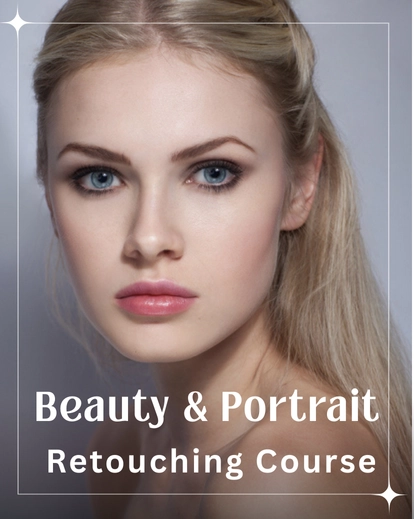



Transform Your Portraits With Professional Beauty Retouching Photoshop Tutorial
Retouching doesn’t have to feel intimidating. This Beauty Retouching Photoshop Tutorial helps you edit portraits with confidence from the very first lesson.
You will learn how to clean skin, enhance features, and correct common issues, all while keeping your edits natural and professional.
Each lesson guides you step by step, helping you understand exactly what to do and why, while building a workflow that works for every portrait.
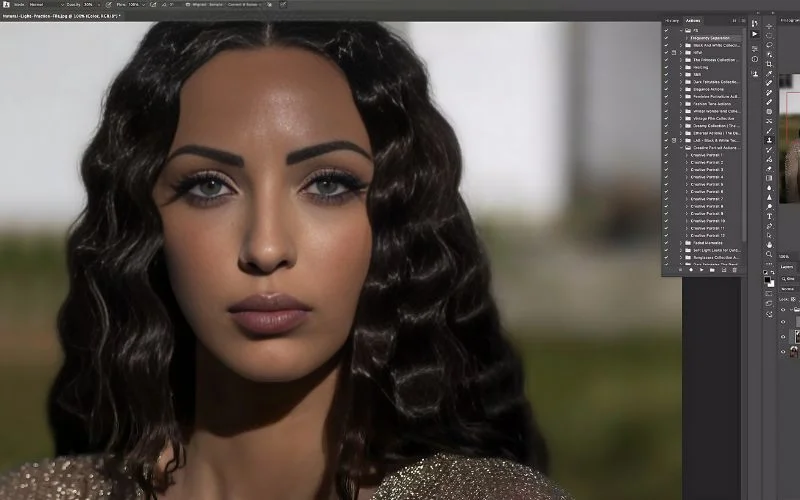
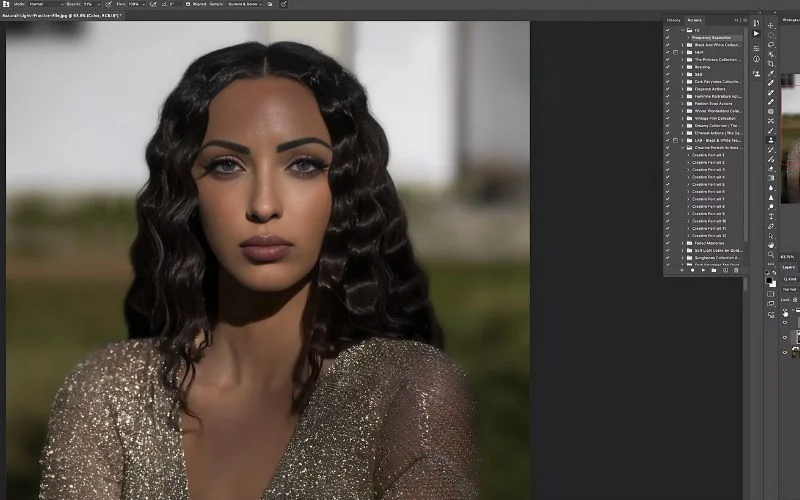
This course helps you create polished client galleries and portfolio-ready results. It also builds skills you can use for every future project.
By the end of this course, you’ll learn how to clean skin, enhance features, fix common issues, and apply a consistent retouching workflow.
You’ll also gain hands-on experience with studio light and natural light. You’ll also get bonus tools to make your workflow faster and easier.
Beauty Retouching Photoshop Tutorial: 10 Step-by-Step Lessons [2.5 hrs]
1. Introduction: Quick overview of this Photoshop retouching course
2. Initial Clean-Up: Remove distractions efficiently in portrait retouching
3. Retouching Eyes: Enhance details naturally
4. Eyebrows: Shape and refine for a polished look
5. Lips: Adjust color, texture, and definition
6. Hair: Fix frizz, flyaways, and flat areas
7. Frequency Separation: Retouch skin effectively in Photoshop
8. Dodge and Burn: Add depth and dimension naturally
9. Using Beauty Brushes: Apply creative finishing touches
10. Bonus Edit: Complete a full start-to-finish workflow
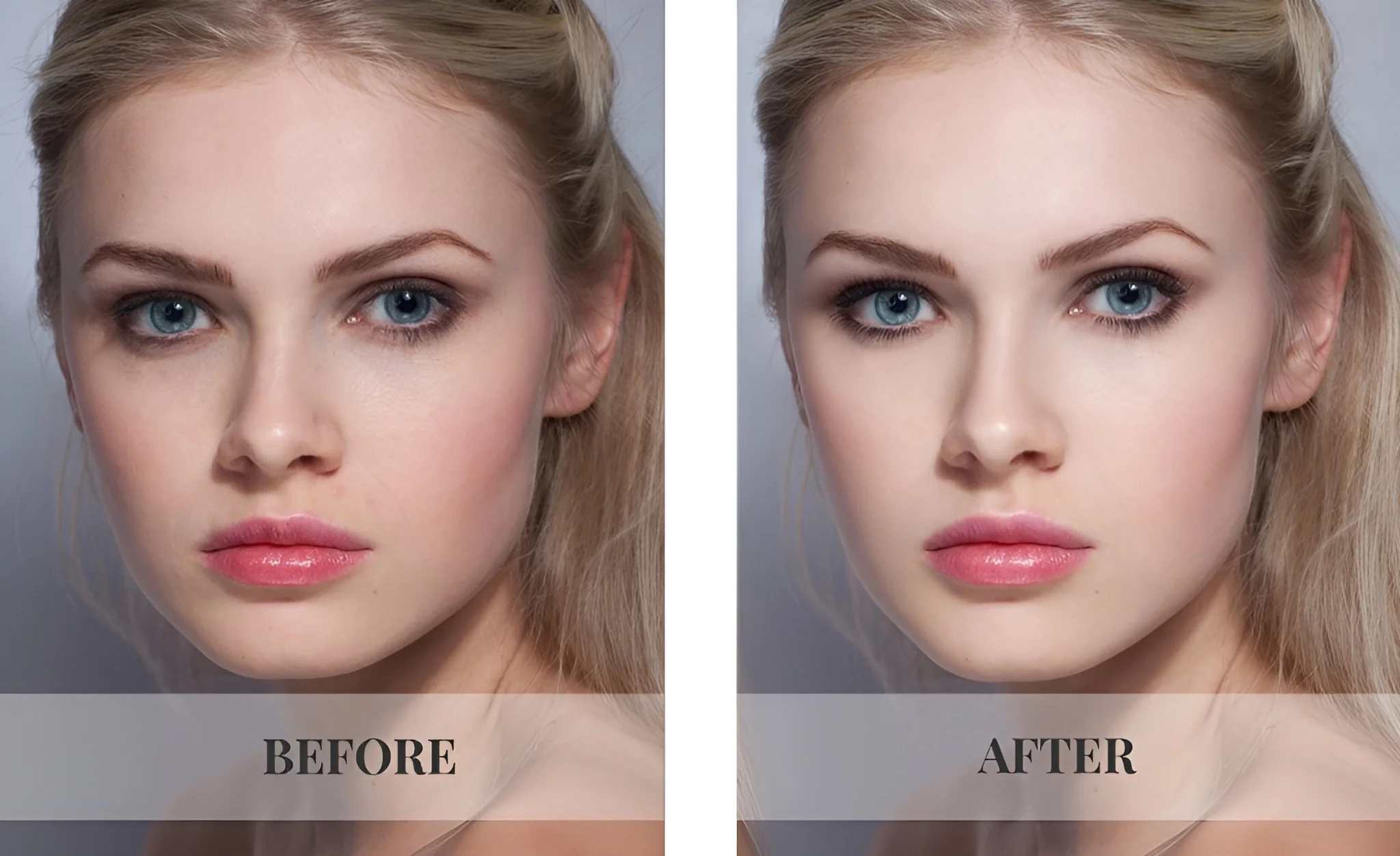
Transform Your Portraits: Before and After
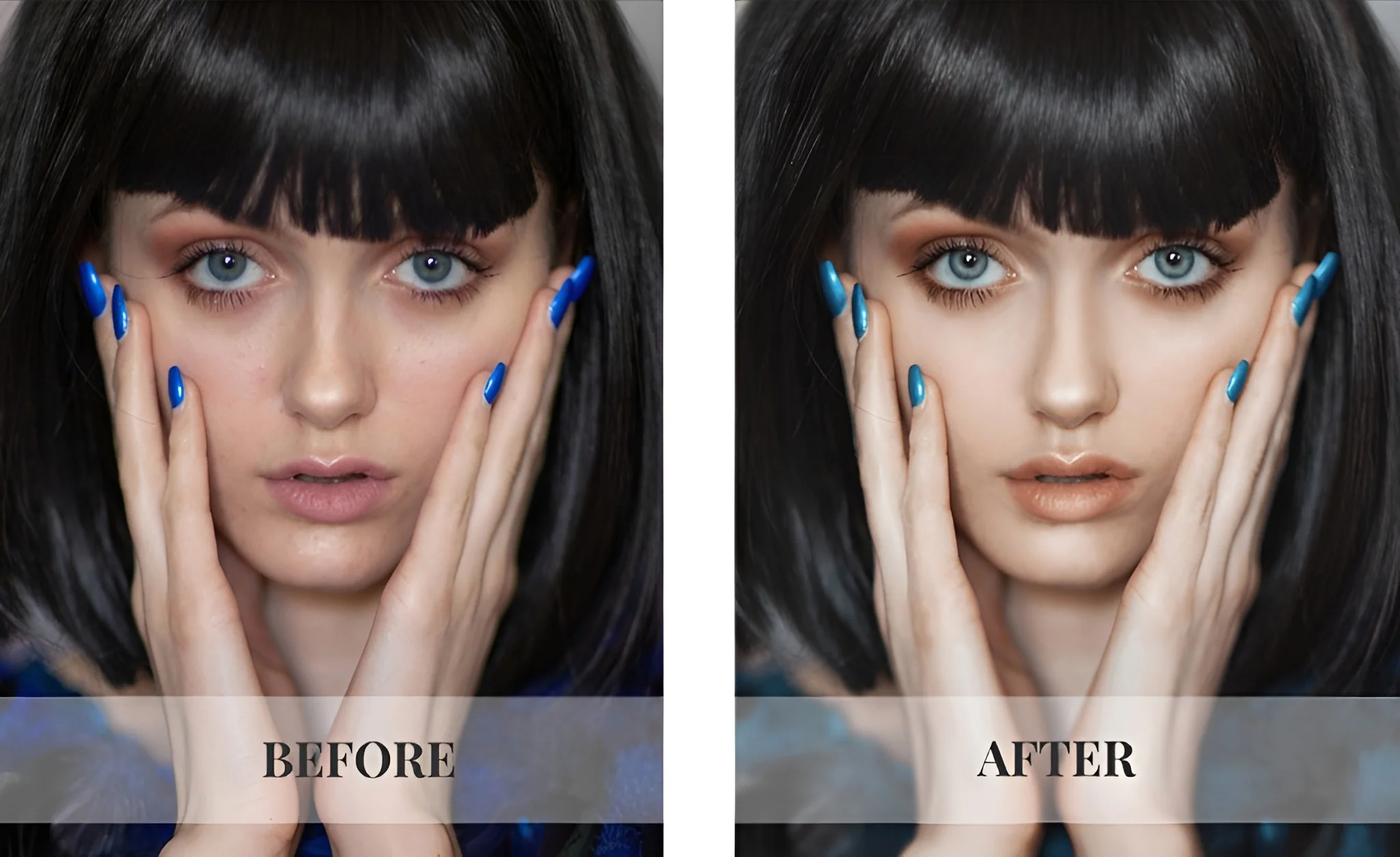
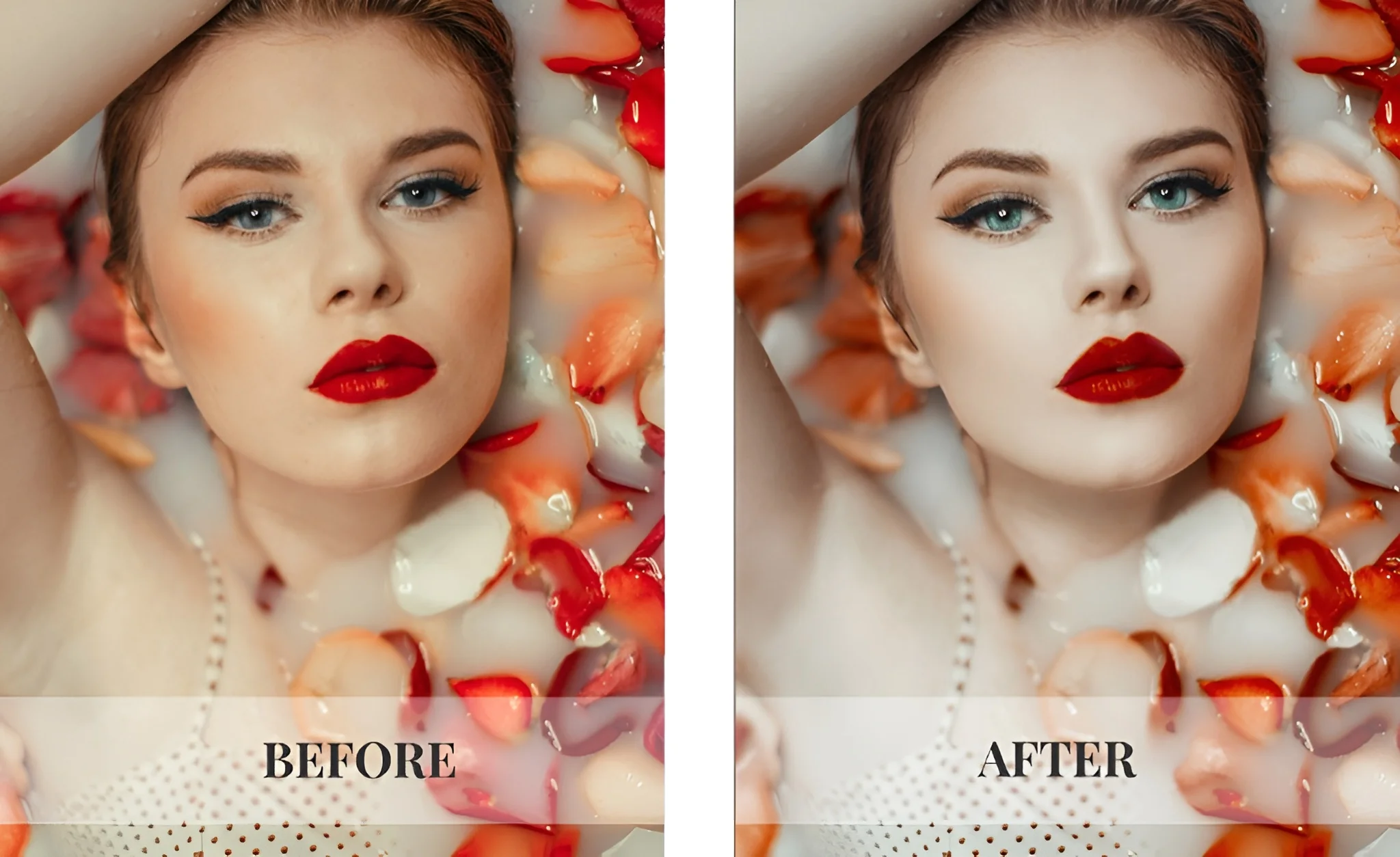
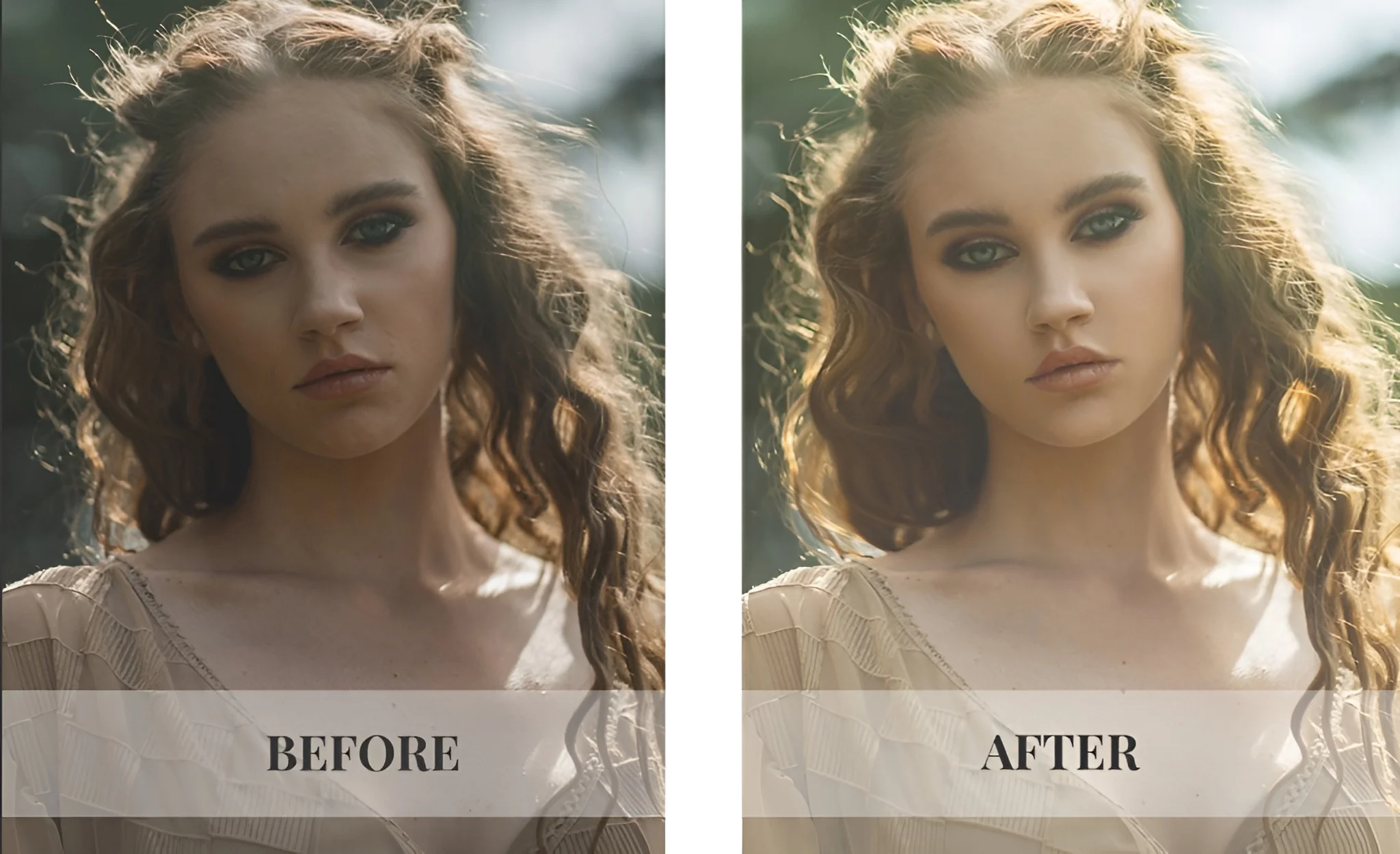
What's Included In This Beauty Retouching Course
- 2.5 hours of step-by-step video lessons
- 10 lessons covering the full retouching workflow
- 2 practice files (studio & natural light)
- Prism Overlay from the Prism Collection
- Frequency Separation Action
- Bonus: Portraiture Posing Guide
- Bonus: Creative Actions Collection
- Bonus: Beauty Brushes Sample Pack
Your Complete Guide To Portrait Retouching
This Beauty Retouching Photoshop Tutorial helps photographers refine their portrait editing skills and work more efficiently.
This course teaches a workflow that makes retouching faster, consistent, and professional. It’s ideal for photographers who want to elevate their portfolio and deliver standout portraits.
These skills can be applied to any photography project, from client shoots to personal work.
By the end, you’ll have the tools and knowledge to handle every portrait with ease.
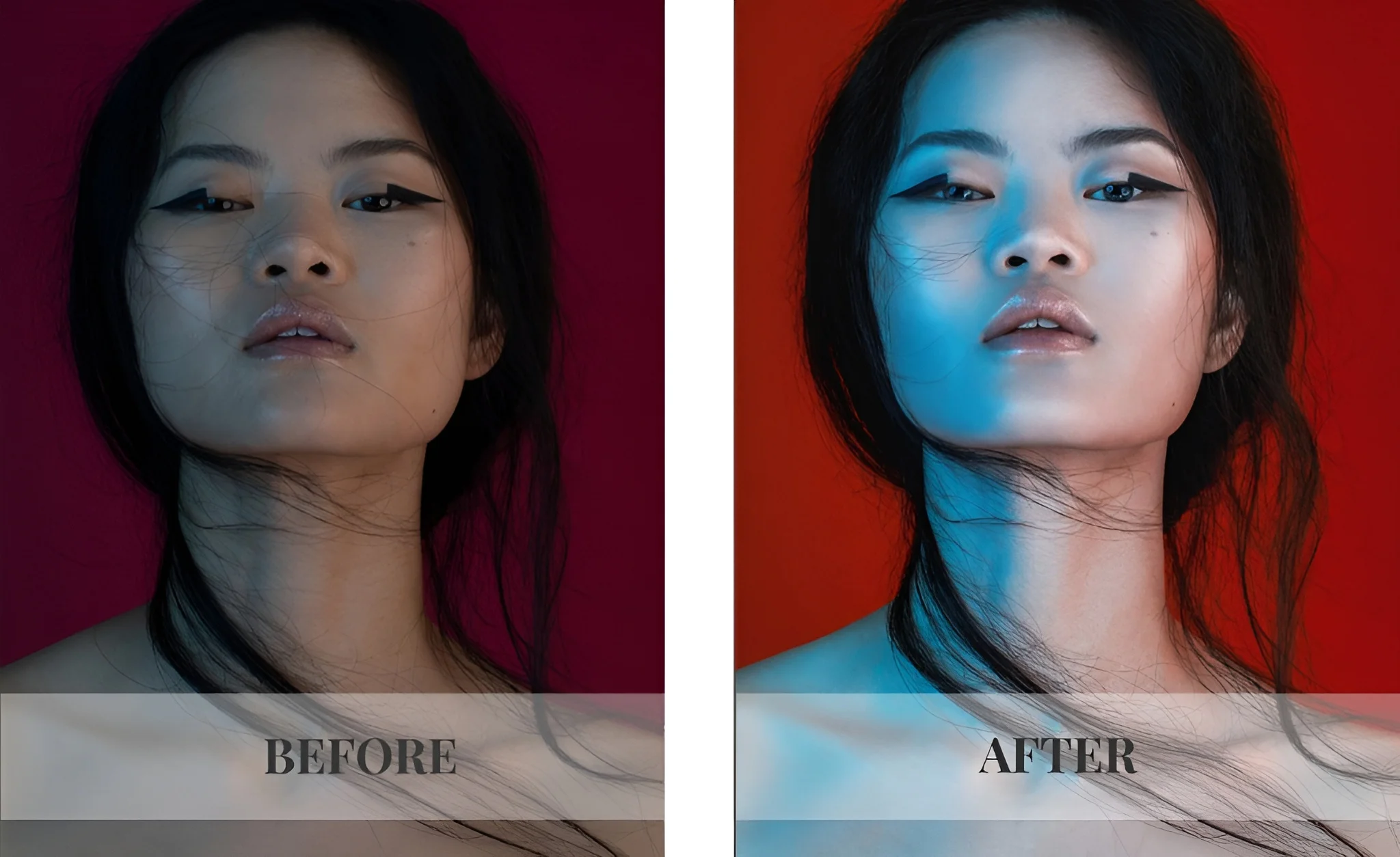
Frequently Asked Questions
This course teaches you how to professionally retouch portraits in Photoshop. You’ll learn to clean skin, enhance features, fix common issues, and create natural, polished images that are ready for clients or your portfolio.
Photographers who want consistent, natural-looking results for client galleries or portfolios. Beginners and experienced shooters will both benefit.
Techniques for skin cleanup, frequency separation, dodge & burn, using beauty brushes, and a complete start-to-finish portrait retouching workflow.
This course is about 2.5+ hours long and included 10 step by step lessons.
You’ll learn how to separate texture and color in your portraits. This lets you smooth skin, fix blemishes, and correct tone while keeping natural skin details intact, creating polished, professional results.
This course focuses only on portrait retouching in Photoshop. You’ll learn skin retouching, facial refinement, and natural beauty edits, no general photo editing.
It teaches a complete portrait retouching workflow, not just random tools. You learn natural skin retouching on real images, with a simple, repeatable process for professional results.
This course teaches a clear, step-by-step beauty retouching workflow for portraits, not random tips. You’ll learn natural skin retouching and professional techniques using real images, without overcomplicating the process.
Reviews
There are no reviews yet.