


$99/Year · 80+ Masterclasses included · Cancel anytime
Already a Plus member? Log in to watch free →
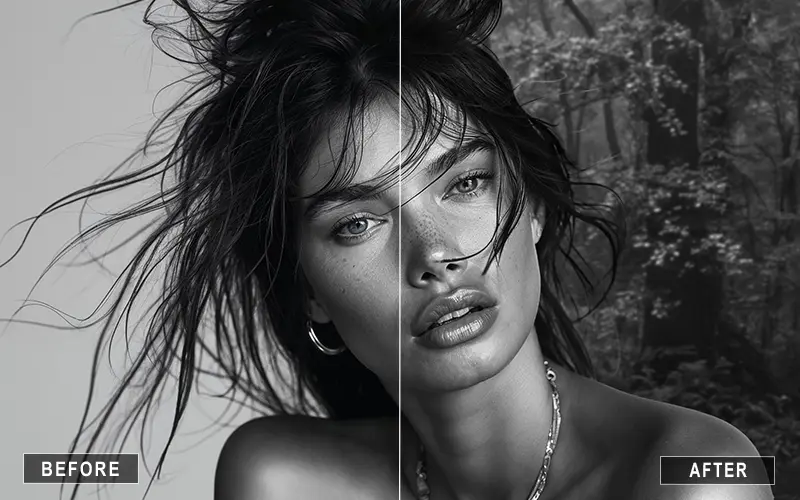
Isolate subjects with precision — even with complex edges like hair, shadows, and textured backgrounds.
Remove, replace, or refine backgrounds without harsh edges or unnatural transitions.
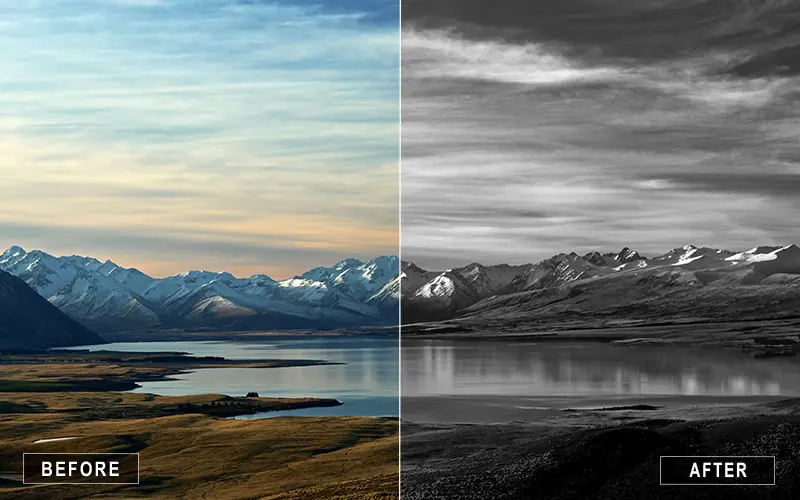
Adjust highlights, shadows, and tones in specific areas using luminosity masks for refined, professional results.
Photoshop masking is one of the most important skills for creating clean, professional-quality edits — but it’s also one of the most misunderstood. In this masterclass, you’ll learn how masking actually works and how to use it in real editing scenarios.
Instead of relying on quick fixes or automated tools, you’ll understand how to:
This masterclass focuses on practical techniques used in professional workflows — so you can edit with more control, flexibility, and confidence.

Class Material Included
Expert Instructor
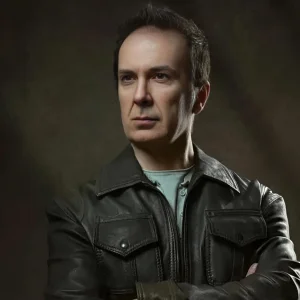
Luca Storelli is an internationally published fine art and fashion photographer, expert retoucher, and educator based in Rome. His work has been feated in renowned publications such as 7Hues, Solis Magazine, Style Cruze, 365 ART + Japan, Dark Beauty, Moevir Paris, Feroce, Elegant, and Assure’ Magazine. Specializing in fashion, fine art, and portrait photography, Luca has built a strong reputation for creating visually compelling imagery. His expertise spans across fashion lookbooks, brand identity, commercial wedding photography, editorial work, and high-end advertising campaigns.
View instructor’s classesReal feedback from photographers applying these techniques to improve their editing and workflow.
Good Course
Excellent course. Very useful knowledge.
I consider my self an expert in using Photoshop and, of course, using Masks, but I appreciate in this tutorial the high quality and the clarity of exposition helping a novice to understand and manage masks as a profesiional.
What version of Photoshop required ?
While Luca’s first language does not appear to be English, he speaks it very well, making it easy for students to understand not only what he is doing, but—more importantly—why. This is not an AI masking course; rather, it is a refined approach to masking that emphasizes control and intent over selections and edits. The lessons are presented slightly out of order, but this is not a deal breaker by any means. I would highly recommend this course to anyone looking to learn how to make fine, deliberate adjustments using masks rather than relying on automated solutions.
mask learning, helpfull
I've been using Photoshop for years and do use masks but only very basically. There is no doubt this masterclass will take me to the next level. Do not expect instant improvement but continual reference to the masterclass, especially around the use of channels will make your finished photos sparkle.
Very helpful. Need to start using the masks described.
Excellent course .
Thanks!
Thanks, very helpfull.
Clipping, which refers to removing parts of elements defined by other parts. In this case, any half-transparent effects are not possible; it's an all-or-nothing approach. Masking, which, on the other hand, allows soft edges by taking transparency and grey values of the mask into account.
Masking in Photoshop is used to selectively hide or reveal parts of an image without permanently deleting pixels. It helps photographers and designers create precise edits, isolate subjects, replace backgrounds, and apply targeted adjustments non-destructively.
A layer mask is a non-destructive editing tool used in design and photo editing software (like Photoshop, GIMP, and Affinity) to selectively hide or reveal parts of a layer. Instead of permanently erasing pixels, you use a mask to control the layer's transparency.
Masking is a photo editing and graphic design technique that unlocks plenty of possibilities for non-destructive image editing in Photoshop. Layer masks serve as stencils that hide or reveal different regions of another layer. This technique enables creativity in compositing, applying effects, and correcting photos.
In photo editing software (like Adobe Lightroom, Photoshop, or Capture One), a masking tool lets you select a specific part of an image so you can apply edits (exposure, color, blurring) to that area only, without affecting the rest of the photo.
While both data redaction and data masking protect sensitive information, their main difference lies in permanence and utility. Redaction completely and irreversibly destroys sensitive content, making it perfect for public or legal documents. Masking replaces sensitive data with realistic, fake alternatives, allowing teams to safely use databases for testing or analytics without exposing real details.
Yes. The masking techniques taught in this course are extremely useful for portrait retouching, including selective skin adjustments, dodge and burn work, background cleanup, and precise color corrections.
Yes. Luminosity masks are widely used by professional photographers and retouchers because they allow for highly controlled adjustments that preserve image quality and natural tonal transitions.
Most modern versions of Adobe Photoshop support the masking techniques taught in this class. Photoshop CC is recommended for the best experience and compatibility with all demonstrated tools.
Basic masking can be learned quickly, but mastering advanced masking techniques takes practice. This masterclass is designed to accelerate your learning by focusing on practical, real-world workflows used by professionals.
Unlock this masterclass and 70+ more for one low annual price
/year
Price locked once you subscribe. Cancel anytime.
Get instant access to ALL masterclasses with PhotoWhoa PLUS
Join photographers worldwide improving their skills with PhotoWhoa PLUS
