




What's Included
15
Flying Music Sheet Overlays
12
Flying Book Pages Overlays
8
Flying Newspaper Overlays
4
Aged Paper Overlay
11
Creased Paper Overlay
8
Grunge Paper Overlay
6
Magazine Paper Overlay
10
Old Paper Overlay
14
Vintage Paper Overlay
12
Brown Paper Overlay
Turn Every Frame Into a Story Worth Reading
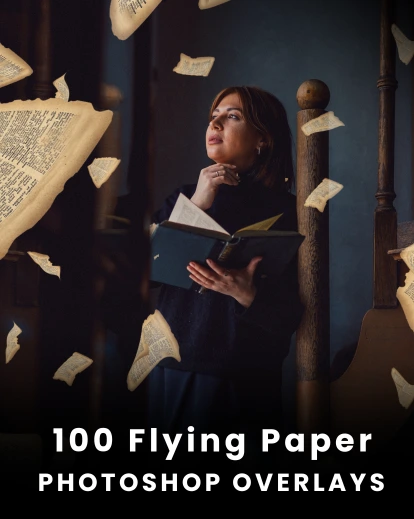
Create cinematic images filled with movement, depth, and imagination using 100 Flying Paper Photoshop Overlays.
- Add realistic motion without complex editing.
- Transform static portraits into cinematic scenes.
- Create eye-catching artwork in just a few clicks.
- Build creative edits that instantly stand out.
Watch Motion Transform Every Image
About this product
Some photographs deserve more than beautiful colors—they deserve movement. A single floating page can transform a quiet portrait into a scene that feels alive, as if the story continues beyond the frame. The 100 Flying Paper Photoshop Overlays Bundle gives photographers an effortless way to create that feeling, adding dynamic paper effects that instantly bring depth, energy, and emotion to every composition.
Inside the bundle are 100 high-quality overlays across 10 paper styles, including music sheets, book pages, newspapers, vintage paper, grunge textures, magazine pages, and more. Designed to work with Photoshop, Luminar, and Affinity Photo, every overlay can be resized, recolored, and repositioned to suit your vision. Whether you’re creating conceptual portraits or artistic photo manipulations, these overlays help turn simple edits into unforgettable visual stories.
Key Highlights
- 100 Flying Paper Photoshop Overlays
- Includes 10 creative paper overlay categories
- Compatible with Photoshop, Luminar & Affinity Photo
- Works on Windows & Mac
- Easily customize size, color, and placement
- Beginner-friendly with easy instructions
- Instant digital download
- Perfect for artistic, conceptual, and cinematic edits
Works With

Photoshop
Affinity Photo
licensing
Extended Commercial License:
Unlimited use for personal projects
Unlimited use for client photography projects
Sell prints, photo books, and digital downloads
Use in social media, websites, and marketing
Do not resell the original preset files
Do not share or distribute the original files
Audience
This Photoshop Editing Bundle is perfect for:
- Portrait photographers
- Wedding photographers
- Photo editors & retouchers
- Photoshop beginners and enthusiasts
- Content creators & social media creators
- Creative professionals handling client projects
Frequently Asked Questions
This bundle includes 100 different flying paper overlays designed for creative photo manipulations, artistic edits, and dynamic visual effects.
The collection includes flying music sheet overlays, flying newspaper effects, book page overlays, aged paper textures, grunge paper overlays, vintage paper effects, magazine paper overlays, and brown paper textures.
These overlays work with Adobe Photoshop, Luminar, Affinity Photo, and other editing software that supports overlay layers.
Yes, the overlays are easy to use for beginners and professionals. Simply drag and drop the overlay onto your image and adjust the blending mode.
Yes, you can resize, rotate, reposition, recolor, adjust opacity, and combine overlays to match your creative vision.
Flying paper overlays work especially well with portraits, fantasy edits, editorial photography, conceptual art, graduation photos, library scenes, book-themed portraits, and cinematic composites where movement adds to the story.
Yes. You can combine multiple overlays in different sizes, angles, and positions to create richer scenes with realistic depth and motion.
Absolutely. The floating paper elements add natural movement, depth, and visual drama, making images feel more dynamic and cinematic without complex compositing.
Yes. You can adjust the color, opacity, blending mode, size, and placement to match your image's mood and creative direction.
Yes. They're ideal for storytelling edits, fantasy portraits, magical scenes, surreal artwork, and creative composites where you want to create a sense of motion and imagination.
Reviews
There are no reviews yet.