

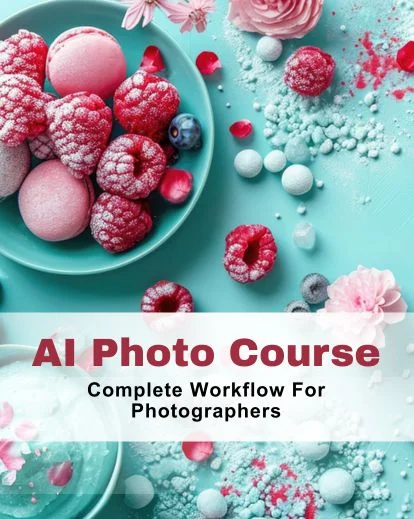


AI Photo Course for Photographers to Create Better AI Images
Bring AI into your workflow and learn with this practical AI photo course designed for real-world photography:
- Learn with 7 in-depth modules
- Understand AI photography tools
- Learn how to edit, generate images using AI tools
- Hands-on practice with real files
This course helps you work with AI in a structured way to produce consistent, professional results.

Meet The Instructor: Frances Flynn
Fran Flynn is an award-winning photographer and creative professional. She has 10+ years of experience in commercial photography and design.
Fran is specialized in multiple niches including product, lifestyle, food and commercial work.
She takes a practical, real-world approach to AI, based on client projects and professional workflows. In this ai photo tutorial, she breaks down her workflows into simple, clear steps.

Highlights Of This AI Photo Course
- 7 modules of AI photography workflows
- 1.5+ hours of video lessons
- PDF guide with essential tools
- Learn how to use ai in photoshop
- Hands-on training to learn Midjourney AI
Are You Struggling To Get Consistent AI Results?
If you have experimented with AI tools but still can’t the get the results you want and think:
- Why do my images look so random and are inconsistent?
- Why the images doesn't look so professional when they should be professional?
- Why are my results still not perfect, even after investing so much time?
- Why can’t I control the final output of these images?
You’re not alone. This course exactly teaches you how to these AI tools in structured workflow to get consistent results.
What You'll Be Able To Do After This AI Photo Course
- Integrate AI tools for photographers into real workflows
- Use generative ai photography and Photoshop with control
- Upscale, enhance, and relight images for professional output
- Prompt effectively in MidJourney and learn Midjourney AI
- Combine AI elements with real photography for seamless results
- Speed up production while maintaining quality
- Navigate ethical, copyright, and credibility issues in AI
- Strengthen visual style and brand in an AI-driven market
- Use how to use prompts in MidJourney effectively
Sneak Peak Into AI Photography Course


Explore Each Module Of This AI Photography Course
1. Understanding the AI Landscape: Discover AI’s impact on photography
2. Photoshop & AI: How to use AI in Photoshop & generative tools
3. Enhance & Refine AI Images: Sharpen images with generative AI photography
4. MidJourney Mastery: Learn MidJourney AI & prompts
5. Hybrid Imaging: Mix real photos with AI using tools
6. Leonardo AI: Step-by-step AI photography tutorial
7. Ethics, Legals & Future Proofing: Protect work and brand
Who Is This AI Photo Course For?
This course is for photographers who want to work faster, smarter, and create professional AI-enhanced images:
- Beginner to advanced photographers
- Wedding, portrait, product & commercial photographers
- Creatives exploring generative AI photography
- Anyone wanting to learn AI photography
This course helps photographers create professional AI images while maintaining their style

Frequently Asked Questions
Who is this AI photography course suitable for?
This course is designed for photographers of all levels from beginners to professionals, who want to integrate AI into their workflow.
What software or tools do I need for this course?
You’ll need access to Photoshop, MidJourney, Leonardo AI, and optional upscalers like Gigapixel or Magnific to follow along the course.
Do I need prior experience with AI or MidJourney?
No. This course is structured to teach you how to use AI in Photoshop, learn MidJourney AI, and work with AI tools step by step.
How long is the AI photo course?
The course has 7 modules with over 1.5 hours of video tutorials and includes PDFs for tools and workflows.
What is Generative AI Photoshop, and how will this course help me use it?
Generative AI in Photoshop lets you create, extend, and repair images with AI-powered tools. This course teaches generative AI Photoshop techniques step by step, helping you produce professional-quality edits quickly and confidently
What will I be able to do after this course?
You’ll integrate AI tools into your workflow, produce polished images, and work faster without losing your style.
How do I access the course after purchase?
After purchase, you'll get instant online access to all videos, PDFs, and resources.
What is MidJourney and how is it used in photography?
MidJourney is an AI image generator that helps photographers create stunning visuals from prompts. This course teaches learn MidJourney AI techniques step by step.
What is hybrid imaging?
Hybrid imaging combines real photography with AI-generated elements to create visuals that were previously impossible.

Reviews
There are no reviews yet.