
Access ALL masterclasses with PhotoWhoa PLUS
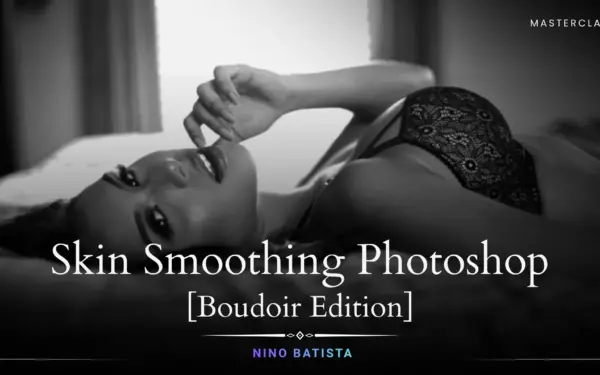
Apply skin smoothing Photoshop techniques without destroying texture or realism
Deliver high-end results using professional skin retouching in Photoshop
Create magazine-quality images using advanced photoshop skin retouching
Great retouching is not about making skin look fake, it’s about making it look perfectly natural.
In this skin smoothing Photoshop masterclass, you’ll learn how to:
This course focuses on real-world workflows used by professionals & not shortcuts that ruin your images. If you want to create clean, high-end portraits, mastering photoshop skin retouching is essential.

focused lessons designed for practical application. Each lesson builds on the previous, taking you from fundamentals to advanced techniques.
Class Material Included
Expert Instructor
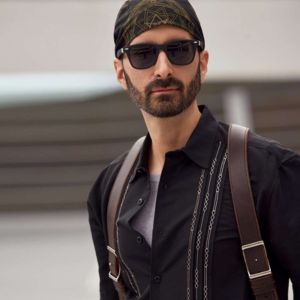
Ron "Nino" Batista is an editorial glamour and exotic automotive photographer in the United States. His work is regularly published in lifestyle and men's publications all over the world, and he is regarded as one of the premier glamour photography and retouching educators in the U.S. He has worked with Fstoppers.com since 2014 and is currently a Senior Writer, and has taught photography and retouching in dozens of cities.
View instructor’s classesYes! The skin retouching tutorial covers everything from basic to advanced skin retouching techniques with clear, step-by-step instructions, making it perfect for beginners and those looking to improve their skills.
You will learn full body skin smoothing and retouching tricks specifically tailored for boudoir photography, including detailed facial skin correction.
Adobe Photoshop is required, along with the included NBP Actions frequency separation tools provided as class materials.
Yes! The class comes with folders containing NBP Actions and frequency separation tools to streamline your skin retouching workflow.
The masterclass is 1 hour and 15 minutes long. Once enrolled, you can watch and rewatch the lessons anytime, at your own pace.
Yes, this masterclass on skin retouching by Nino Batista is free for Plus members. You can access it anytime anywhere and at your own pace. You can also rewatch it whenever you like.
You’ll learn a complete professional skin retouching in Photoshop workflow covering correction, smoothing, and final polishing for high-end results.
The course shows how to use skin correction Photoshop tools to remove blemishes, even out tones, and improve overall skin quality.
Key photoshop skin retouching techniques include healing, dodge & burn, frequency separation, and color adjustments for flawless output.
Absolutely. These photoshop skin retouching techniques can be applied to portraits, fashion, and editorial photography as well.
Unlock this masterclass and 70+ more for one low annual price
/year
Price locked once you subscribe. Cancel anytime.
Get instant access to ALL masterclasses with PhotoWhoa PLUS
Join photographers worldwide improving their skills with PhotoWhoa PLUS
Learn how photographers create cinematic AI imagery using Midjourney, Magnific AI, and Photoshop.
3-minute lesson • Instant access
No spam. Just world-class photography education.



