

Photography Masterclasses

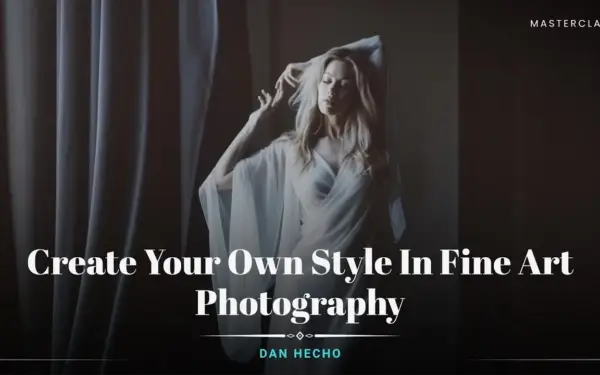
Create Your Own Style In Fine Art Photography

A professional fine art photography class to master photo editing, color correction, and refined artistic workflows.
1.8 hours
2 Lessons
Practice Files

Access 80+ masterclasses with PhotoWhoa PLUS

What You'll Be Able To Create

Create refined, professional, and visually striking fine art photography edits with your own unique style.

Signature Fine Art Edits

Develop a recognisable style through advanced fine art photo editing techniques

Cinematic Color-Graded Images

Master color correction in Lightroom for soft, elegant tones

Professional Workflow Outputs

Create consistent, high-quality results with a streamlined fine art photo editing workflow

See The Glimpse Of What This Course Offers

See the editing process of achieving artistic fine art photos
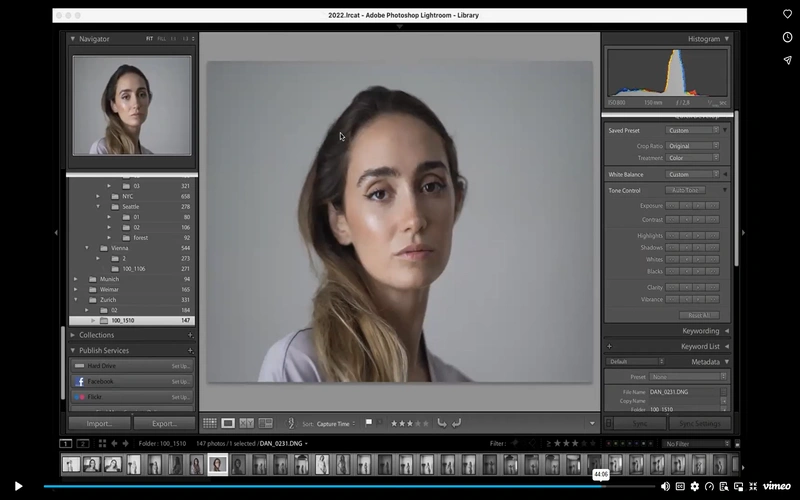
editing photo of a woman on photo editing software
editing a photo of a woman on photo editing software
colour wheel displayed on photo editing software
screen displaying photos of a ballerina on editing software

What This Fine Art Photography Class Is All About

There’s a clear difference between a basic photo and a powerful piece of art.

This fine art photography class focuses on what truly separates the two:
editing, color, and artistic intent.

You’ll learn how to:

  • Transform raw images through professional fine art photo editing
  • Use Lightroom and Photoshop to enhance mood and storytelling
  • Create a consistent visual identity through color and tone

Guided by Dan Hecho’s photography, this class helps you go beyond editing and into art creation.

What You’ll Learn In This fine Art Photography Class

Master tools, techniques, and workflows used in professional fine art photo editing
screen displaying photo of a woman getting edited on a photo editing software
Complete workflow for editing fine art photography from start to finish
Advanced fine art photo editing techniques for professional results
Master color correction in Lightroom for cinematic looks
Learn how to edit boudoir photos with elegance and consistency
Improve skin tones, lighting balance, and image harmony
Use Photoshop for refined retouching and finishing touches
Build a fast and efficient fine art photo editing workflow

Lesson Breakdown

Focused lessons designed for practical application. Each lesson builds on the previous, taking you from fundamentals to advanced techniques.
lesson 1

Photoshop Retouching: Clean & Natural Finishing

48m 23s
lesson 2

Professional Post-Processing: Lightroom & Photoshop

1h 1m 0s

Continue Your Learning Journey With Guided Path

This masterclass is part of the Master Boudoir & Fine Art Figure Photography Learning Path, a guided step-by-step journey designed to help photographers build stronger artistic direction, lighting, and fine art skills.

Foundations

Core Techniques

Creative Mastery

Advanced Workflows

Explore the full learning path to refine your posing, creative workflow, and professional fine art figure photography techniques.

Who Is This Fine Art Photography Class For?

  • Fine Art Photographers – Elevate your work with advanced fine art photo editing
  • Fine Art Photography Artists – Refine your style and editing consistency
  • Intermediate Photographers – Improve workflow and editing precision
  • Boudoir Photographers – Learn how to edit boudoir photos professionally
  • Creative Editors – Develop a unique visual identity through editing
  • Style-Focused Creators – Build a signature look using fine art photography editing techniques
Dan Hecho

Expert Instructor

Dan Hecho

Dan Hecho is a respected photographer known for his fine art and portrait photography. His distinctive style combines elegant compositions, soft lighting, and expressive imagery to highlight human expression and the beauty of the natural world. He also offers workshops and tutorials, sharing his experience with photographers who want to strengthen their skills and develop their own artistic vision.

View instructor’s classes

See How Photographers Are Improving

Real feedback from photographers applying these techniques to improve their editing and workflow.

I'm testing and everything is going well.

SAUL AVENDANO SAUL AVENDANO

Interesting insights, I haven't thought about doing fine-art Photography before, but it's got me thinking to try.

Fabulous instruction and insight!!

Jack Jack

Frequently Asked Questions

This masterclass teaches you how to develop your own artistic style in fine art photography. You’ll learn how to edit images professionally using Lightroom and Photoshop, with a strong focus on color, mood, and visual storytelling.

Basic knowledge of Photoshop and Lightroom is helpful, but not required. Dan explains the tools and settings in a clear and practical way, making it easy to follow even if you’re new to the photo editing software.

This masterclass focuses mainly on fine art photo editing. It shows how professional fine art photographers use Lightroom and Photoshop to transform images into fine art. It also shows you how to create your own signature style through editing.

Color correction adjusts photos to look closer to natural, realistic colors. Color grading adds a specific style or theme, shaping the mood and giving the image a more artistic feel.

Yes. You can watch and rewatch the masterclass as and when you like. With Plus Membership, you get free access to this as well as 60+ more masterclasses that you can access any time.

Yes. The fine art photography class includes sample images and bonus files so you can practice the techniques shown in the lessons.

You’ll learn a complete step-by-step workflow using Lightroom for color correction and Photoshop for retouching, helping you create clean, artistic, and professional fine art photo edits.

The masterclass teaches a proven workflow—starting with RAW adjustments, moving to color correction in Lightroom, and finishing with detailed retouching in Photoshop.

Editing fine art photography focuses more on natural skin tones, subtle color grading, and preserving texture while enhancing mood and artistic expression.

The course covers key Lightroom settings like exposure, contrast, HSL adjustments, and color grading tailored for fine art and boudoir photography.

Get PhotoWhoa PLUS

Unlock this masterclass and 80+ more for one low annual price

What's included:

$99

/year

Price locked once you subscribe. Cancel anytime.

Get instant access to ALL masterclasses with PhotoWhoa PLUS

30-Day Money-Back Guarantee

In-Depth Lessons
1 +
Hours of Practical Training
1 +
Expert Instructors
1 +

Join photographers worldwide improving their skills with PhotoWhoa PLUS

Become a PhotoWhoa Charter Plus Member

Access With Plus