Lightroom Color Grading Course  For Ravishing Art Nudes
Photography Masterclasses

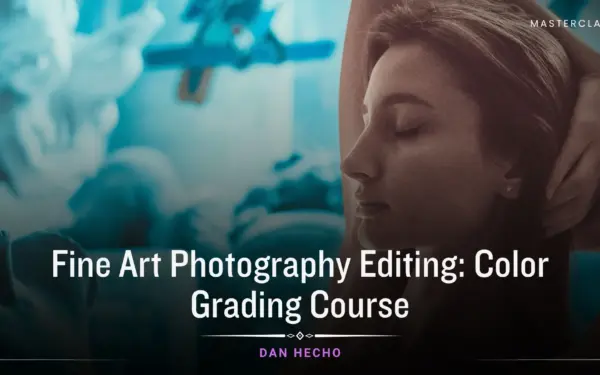
Lightroom Color Grading Course For Ravishing Art Nudes

A complete Lightroom color grading course to help you craft rich tones, refine images, and build a consistent editing style.
1.1 hours
1 Lessons
Practice Files

Access ALL masterclasses with PhotoWhoa PLUS

What You'll Be Able To Create

Create visually striking, cinematic images with professional color grading techniques

Cinematic Color-Graded Images

Produce stunning visuals using cinematic colour grading Lightroom techniques

Balanced Subject & Background Edits

Use masking in Lightroom to control tones and exposure precisely

Rich, Artistic Color Styles

Create unique looks using RGB curves in this Lightroom color grading course

See What You’ll Learn To Create

This Lightroom color grading course upgrades your editing instantly From flat images to cinematic visuals.
Masking in Lightroom for precise subject and background adjustment
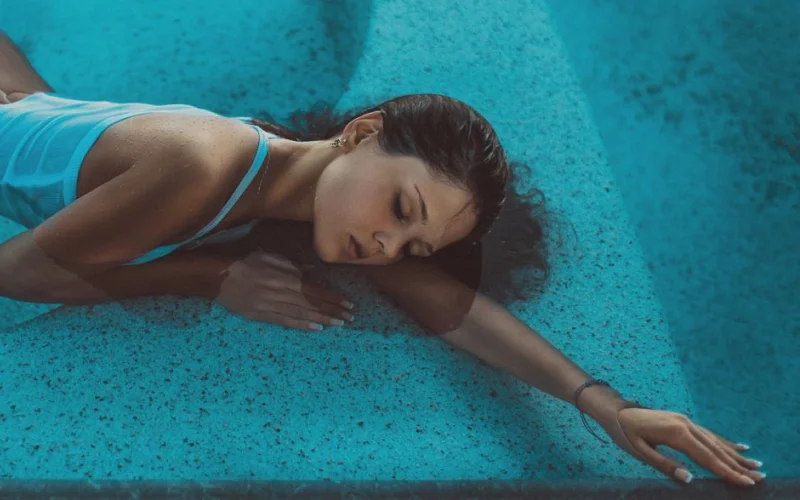
Cinematic colour grading Lightroom applied to art nude portrait
Artistic nude image enhanced with cinematic colour grading Lightroom
Artistic edit combining cinematic colour grading Lightroom and masks
Workflow example with fast retouching Photoshop for final polish
Detailed edit showing masking in Lightroom for selective adjustments

What This Lightroom Color Grading Course Is All About

Color is what transforms a good image into a powerful one. In this Lightroom color grading course, you’ll learn how to control and shape color using professional techniques.

You’ll discover how to:

  • Use RGB curves to create cinematic tones
  • Apply masking in Lightroom for targeted adjustments
  • Balance subject and background seamlessly

This isn’t about random presets, it’s about understanding how color works and using it intentionally.

If your images feel flat or inconsistent, this class will help you fix that.

What You’ll Learn In This Lightroom Color Grading Course

Learn the tools and techniques needed to create cinematic color-graded images
Fast retouching Photoshop applied after Lightroom color grading
Create cinematic & striking images using advanced Lightroom color grading techniques
Achieve precise color control with RGB curves for richer, more dynamic tones
Make targeted, professional adjustments using advanced masking in Lightroom
Speed up your workflow by combining Lightroom with fast Photoshop retouching
Balance subject and background seamlessly for clean, polished compositions

Lessons Breakdown

focused lessons designed for practical application. Each lesson builds on the previous, taking you from fundamentals to advanced techniques.

lesson 1

Color Solutions On Art Nude & Boudoir Images In Lightroom By Dan Hecho

1h 5m 17s

Continue Your Learning Journey With Guided Path

This masterclass is part of the Master Boudoir & Nude Photography Learning Path — a guided step-by-step journey designed to help photographers build stronger retouching, color grading, and portrait editing skills.

Foundations

Core Techniques

Creative Mastery

Advanced Workflows

Explore the full learning path to refine your editing workflow, visual style, and professional nude photography techniques.

Who Is This Lightroom Color Grading Course For?

  • Beginner Editors — Learn Lightroom color grading from the ground up
  • Photographers With Flat Images — Add depth using cinematic tones
  • Editors Seeking Consistency — Build a repeatable color workflow
  • Creative Photographers — Develop a unique visual style
  • Portrait & Boudoir Photographers — Enhance mood and skin tones
  • Intermediate Users — Master masking in Lightroom for better control
Dan Hecho

Expert Instructor

Dan Hecho

Dan Hecho is a highly respected photographer known for his captivating fine art and portrait photography. With a distinctive style that combines elegance and emotion, Dan's work often features ethereal lighting, soft color palettes, and meticulously composed scenes.Dan Hecho photography captures the beauty of human expression and the natural world, making his images both timeless and evocative. He also offers workshops and tutorials, sharing his expertise with aspiring photographers who seek to refine their skills and develop a unique artistic vision. Check out Dan's upcoming physical workshops here.

View instructor’s classes

Frequently Asked Questions

Cinematic colour grading Lightroom techniques use color curves, RGB channels, and tonal adjustments to create mood-driven, film-like images.

This teaches professional color grading techniques using RGB channels, masks, and brushes to enhance art nude and boudoir photos.

This masterclass includes 1 in-depth lesson lasting 1 hour, covering the complete color grading workflow.

RGB toning allows you to adjust colors selectively, creating mood, contrast, and depth in indoor lighting conditions.

Lightroom Color Grading Course For Ravishing Art Nudes focuses specifically on art nude and boudoir photography, combining color grading and retouching techniques not commonly taught.

It teaches subtle adjustments and masking to preserve natural skin tones while enhancing overall color harmony.

Yes, the techniques in this course can enhance portraits, landscapes, and other photography genres, not just art nudes, for richer color and mood.

You’ll learn workflows that ensure consistent results using color grading tools, masks, and presets in Lightroom.

While Lightroom is the main tool, you’ll also learn fast retouching Photoshop techniques to speed up your overall editing workflow.

Yes, this masterclass breaks down cinematic colour grading Lightroom into simple steps, making it easy for beginners to follow and apply.

Get PhotoWhoa PLUS

Unlock this masterclass and 70+ more for one low annual price

What's included:

$99

/year

Price locked once you subscribe. Cancel anytime.

Get instant access to ALL masterclasses with PhotoWhoa PLUS

In-Depth Classes
1 +
Hours of Practical Training
1 +
Expert Instructors
1 +

Join photographers worldwide improving their skills with PhotoWhoa PLUS

Become a PhotoWhoa Charter Plus Member

Unlock Luca Storelli's
Free AI Workflow Lesson

Learn how photographers create cinematic AI imagery using Midjourney, Magnific AI, and Photoshop.

3-minute lesson • Instant access

No spam. Just world-class photography education.

Access With Plus



