
Bring Old Videos & Images Back to Life with AI
Outdated, blurry, noisy, or low-resolution videos and images can make even great content look unprofessional.
VideoProc Converter AI is an all-in-one AI-powered multimedia workstation that intelligently enhances videos, images, and audio with just a few clicks.
Using advanced AI models like Gen Detail V3, Real Smooth V3, Anime, and Zyxt, it performs AI upscaling, denoising, detail enhancement, face restoration, frame interpolation, and audio cleanup in a single streamlined workflow.
More than just an AI video enhancer, VideoProc Converter AI also works as a powerful:
– AI video converter
– DVD to digital converter
– Video stabilizer
– Media compressor
– Screen recorder and more…
Compatible with both Windows and macOS, it’s designed for photographers, videographers, content creators, and anyone looking to restore, convert, and enhance media without complex editing.
Features Of The Videoproc Converter AI
- AI Video Enhancer with AI Super Resolution
- AI Video Upscaler for HD & 4K enhancement
- AI Video Converter for 370+ formats
- AI Photo Upscaler up to 8K
- Video Frame Interpolation Software
- Built-in Video Stabilizer
- AI Denoising & Detail Enhancement
- AI Audio Noise Removal
- Video Compression up to 90%
- Built-in Video Editor
- HD & 4K Video Downloader
- Screen Recorder with 4 recording modes
- Batch Video & Image Processing
- GPU Acceleration (NVIDIA, AMD, Intel & Apple Silicon)
- AI Face Restoration
- DVD to Digital Converter
System Requirements:
- OS: Windows 7/8/8.1/10/11 or later (32-bit & 64-bit), macOS 10.13+ (AI features require macOS 10.15+)
- Compute: CPU or GPU
- Hard Disk Space: 1GB minimum
How to DENOISE Grainy Video in VideoProc Converter AI
Tool Specifications:
- AI Upscaling Models: Gen Detail V3, Real Smooth V3, Anime & Zyxt
- AI Face Restoration Models: Rebuild, Fidelity & GFPGAN
- AI Architecture: Hybrid Diffusion + GAN
- Upscaling: 2×, 3× & 4× (Videos up to 4K, Images up to 8K)
- Frame Interpolation: 2×–5× (60 FPS, 120 FPS & 240 FPS)
- Converter: MP4, MOV, HDR, Log, ProRes, HEVC, audio formats & more
- Video Compression: Up to 90% file size reduction
- Built-in Editing: Cut, Crop, Merge, Rotate, Subtitles & Effects
- Screen Recording: Webcam, Desktop, Picture-in-Picture & Audio-only
- Hardware Acceleration: NVIDIA, AMD, Intel GPUs & CPUs, Apple Silicon (M1–M4)
Some Key Features Of This All-In-One Video Editor
Super Resolution
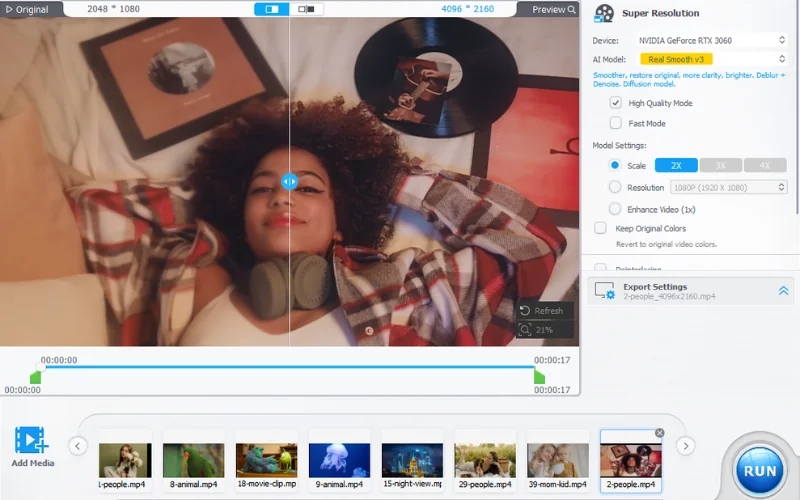
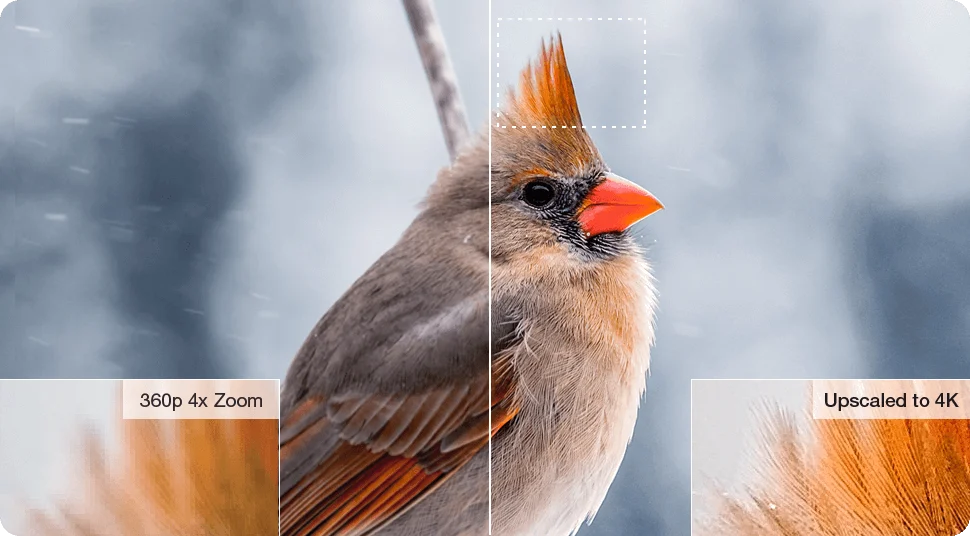
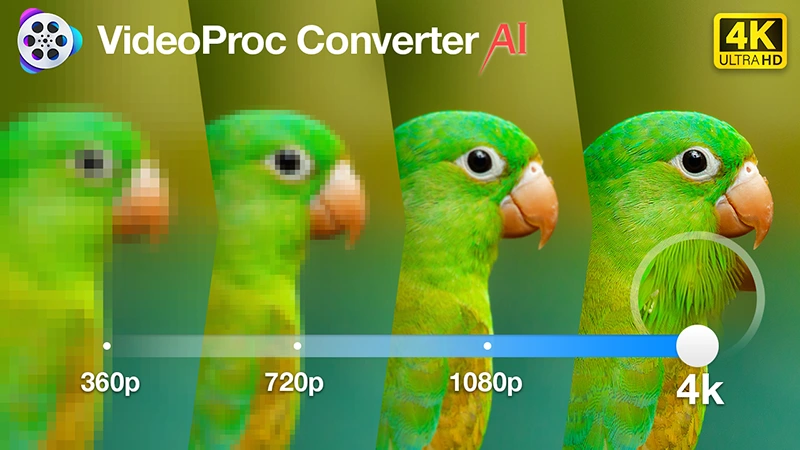
This software not only supports AI generated images/videos but also maximally scale up your videos and images by 400% and enlarge them to up to 8K while delivering a natural result without artifacts and losing details.
Also, it does the magic even for classic movies, old photos, as well as SD, noisy, grainy, interlaced videos and so on.
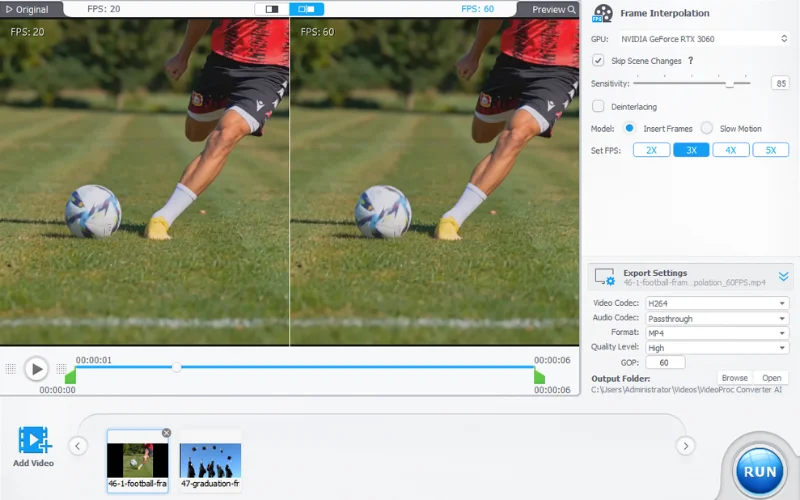
Frame Interpolation
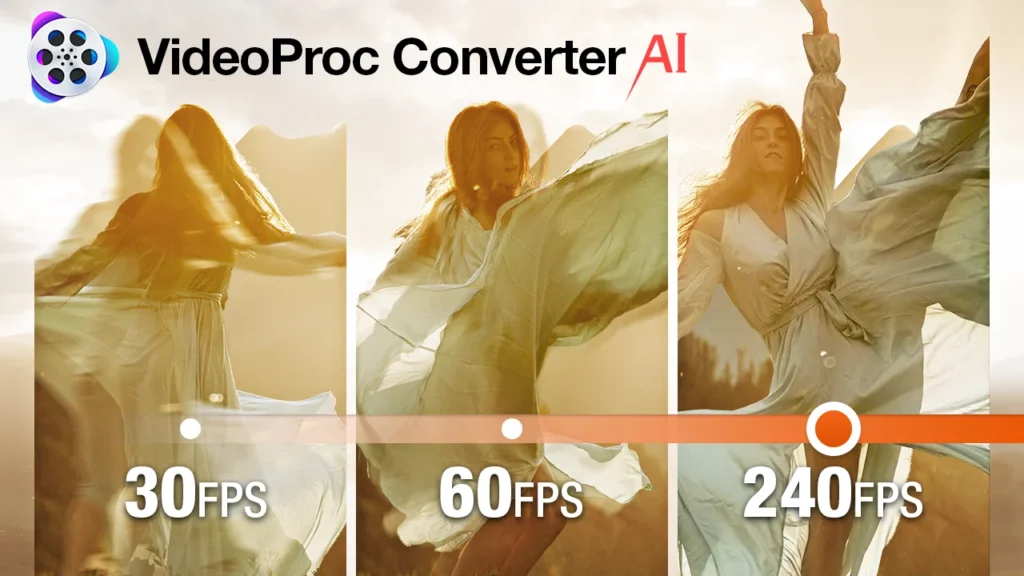
Easily convert videos from low FPS to high frame rates, such as from 24/30/60FPS to 120/240/300/480FPS and higher. Batch tasks supported.
Delivering 5x+ frames of the source video, it helps everyone to create 20x super smooth slomo, revive old footage to 4K 60FPS, unify mixed frame rate for post-production, and can be combined with other AI art tools to create morphing effects.
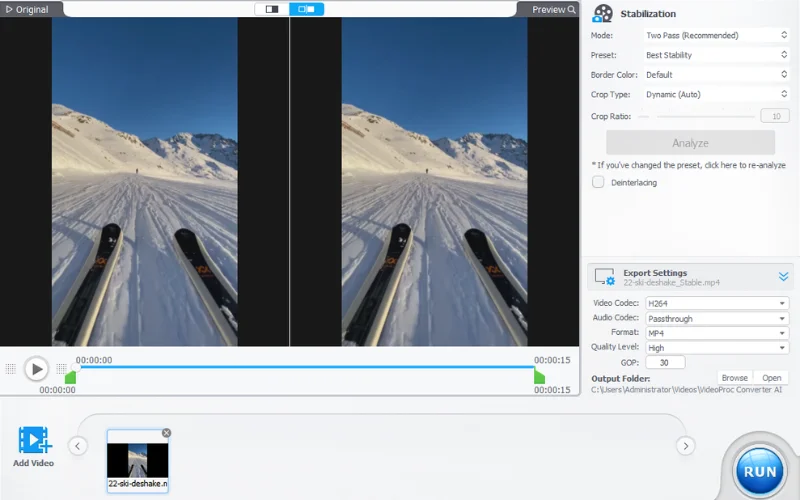
AI Video Stabilizer
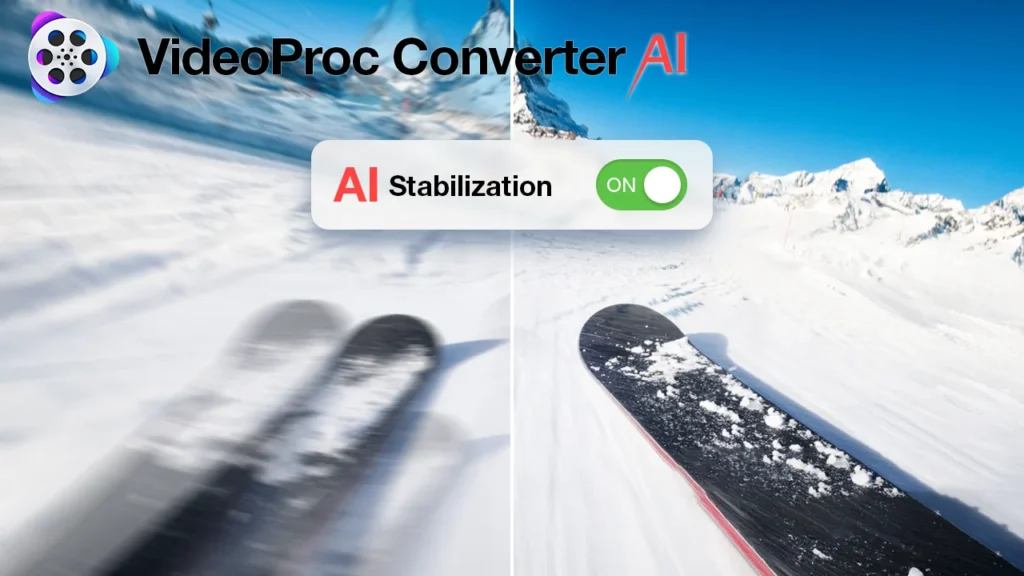
It easy to eliminate unwanted shaky video clips from your GoPro, phone, drone, and handheld camera with GPU-accelerated speed, controllable cropping ratios, and precise fine-tuning.
It knows your stabilization needs best and allows you to maintain different settings for various shaky videos when batch stabilizing, preview original and stabilized videos in real-time after adjust parameters and etc.
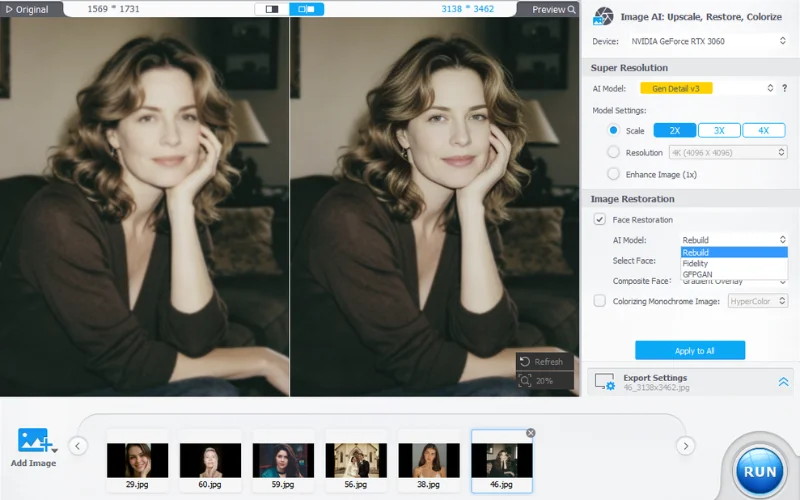
AI Face Restoration
Faithfully restore faces to the best clarity, with precise details for hair, skin, eyes, and lips.
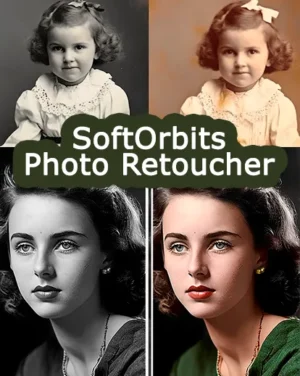
Reviving scratched, stained, old photos, portraits, group images to 4K sharp, vibrant, and clear look.
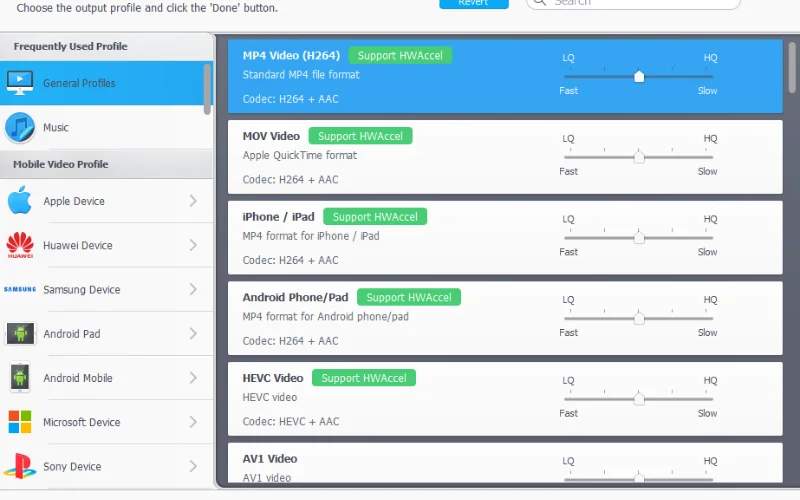
AI Video Converter
VideoProc Converter embraces popular and rare formats. It supports 370+ input Codecs, 420+ output formats to easily handle just about any video type you can throw its way.
It converts HEVC, H264, VP9, MP4, MOV, MKV, TS, 3D to 2D, MP4 to MP3, video to JPG, etc. 4K video converting reaches up to 7x faster than others, which is second to none.
Why Choose VideoProc Converter AI With Lifetime Access
- One-Step AI Enhancement: Denoise, enhance details, and upscale in a single step.
- Next-Gen AI Models: Gen Detail V3 and Real Smooth V3 for sharper, smoother results.
- Professional Exports: Supports ProRes, H.264, HEVC, HDR, Log, and up to 1000 DPI.
- Batch Processing: Enhance multiple photos and videos at once.
- Universal Compatibility: Works with video, image, audio, and DVD files.
- Easy to Use: Simple interface for beginners and professionals.
- GPU Optimized: Accelerated for NVIDIA, AMD, Intel, and Apple Silicon (M1–M4).
Create Such Amazing Transformations With This Software
AI Video Upscaler
Noise Remover
4k AI Video Enhancer
Video Stabilizer
✨What The Experts Are Saying About VideoProc ✨
Frequenty Asked Questions?
Is Videoproc Converter Safe?
Yes, VideoProc is safe and trusted. Developed by the reputable Digiarty, it is verified free from malware and has received positive feedback from users across various platforms.
What are system requirements of VideoProc Converter AI?
- Windows Version: Compatible with Microsoft Windows 7, 8/8.1, 10, 11 or later
- Mac Version: M1, M1 Pro, M1 Max, M1 Ultra, M2, M2 Pro, M2 Max, M2 Ultra, M3, M3 Pro, M3 Max
- Processor: 1 GHz Intel® or AMD® processor (Minimum)
- RAM: 1GB RAM (Recommended: 2GB or above)
How to use VideoProc Converter?
VideProc Converter AI is very easy to use. Refer to the YouTube video attached below
Is VideoProc Converter AI compatible with Mac M4?
Yes, VideoProc Converter AI is fully compatible with Macs powered by Apple M1, M2, and M3 chips, including the M4 series. It utilizes Level-3 hardware acceleration to enhance performance on these devices
Can it sharpen and cut parts of videos, then rejoin them?
Absolutely! VideoProc Converter AI allows you to sharpen videos and perform precise edits like cutting, trimming, and merging clips. It's a cost-effective alternative to more expensive tools like Topaz, offering impressive results for enhancing and editing your footage
Can it edit raw video files?
Yes, VideoProc Converter AI supports editing raw video files from various cameras, including GoPro, Canon, and Sony.
Is a trial version available for this tool?
No, VideoProc Converter AI does not offer a trial version. Access to all features requires purchasing the full version.
What kind of quality improvements can I expect?
You can expect a massive leap in clarity and smoothness. The software dramatically increases resolution, strips away noise and blur, reconstructs facial details, eliminates camera shake, and boosts frame rates. It turns low-res, pixelated assets into sharp, professional media, drastically elevating your workflow.


David –
I’ve waited a month to review VideoProc AI, because I wanted to put it through its paces. Bottom line, I like this product. Great for upscaling videos and cleaning up blurry pictures and 8mm film to DVD transfers. If I had one minor issue, it would be that the luminance levels are a bit too high for my taste when upscaling with the highest settings… maybe I need to do more experimenting… in any event, I rate VPAI 5 starts out of 5 *****
Boris Pogacar –
Working fine and I will use it with pleasure
Dean –
Amazing! I upscaled a small clip to 4k resolution and it looks amazing. I can’t wait to try the other features on full length videos!
i einni saeng 470799-2349 arnason –
Video proc upscales the picture quality considerably and indeed the app is very easy to use.