Collection Of Adobe Photoshop Overlays That Give You The Creative Control
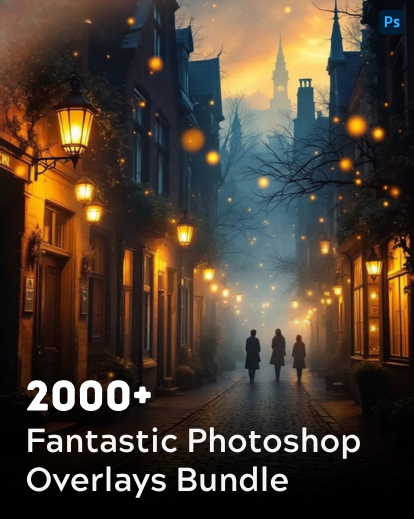
Take your photos to the next level with this all-in-one pack of Adobe Photoshop overlays.
With over 2000 overlays to choose from, you can easily add effects like soft fog, vibrant rainbows, glowing sunflare, dreamy bokeh, or even festive touches like confetti, bubbles, and fireworks.
Whether you’re editing portraits, landscapes, or creative projects, these overlays help you create eye-catching images – quickly and without hassle. Simple to use, and perfect for beginners and pros alike.
Give Your Phototos The Makover They Deserve
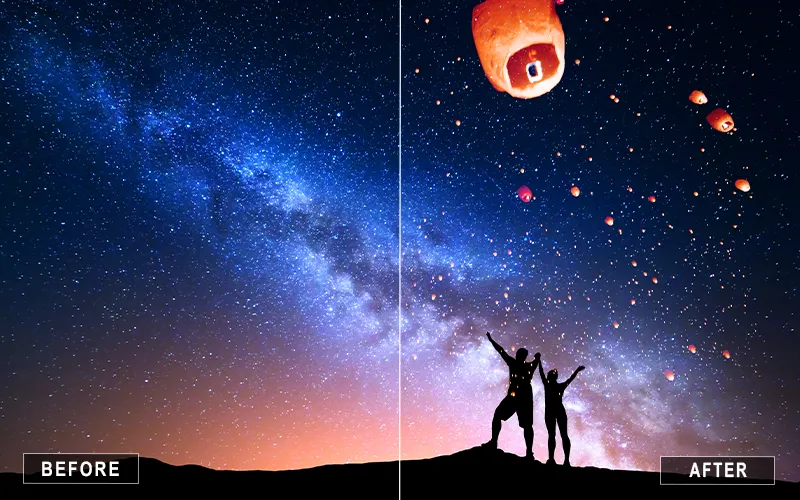
Sky Lantern Overlays
Fireworks PS Overlays
Black Feather Overlay
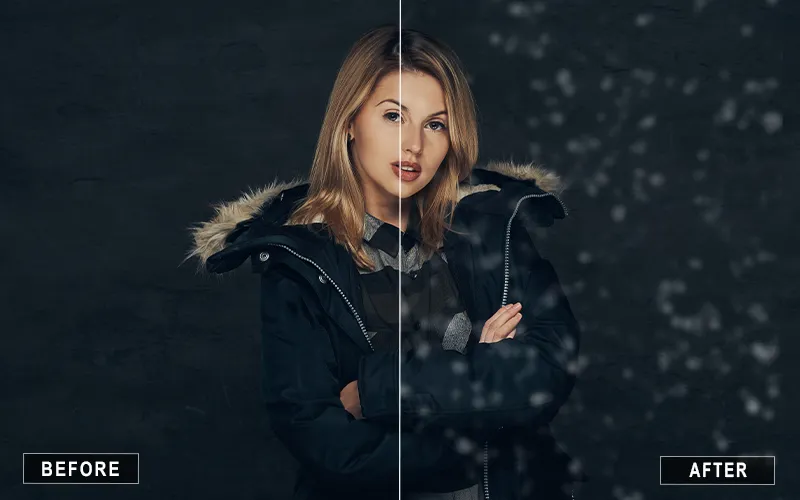
Bokeh Photoshop Overlays
Rainbow Overlay Photoshop
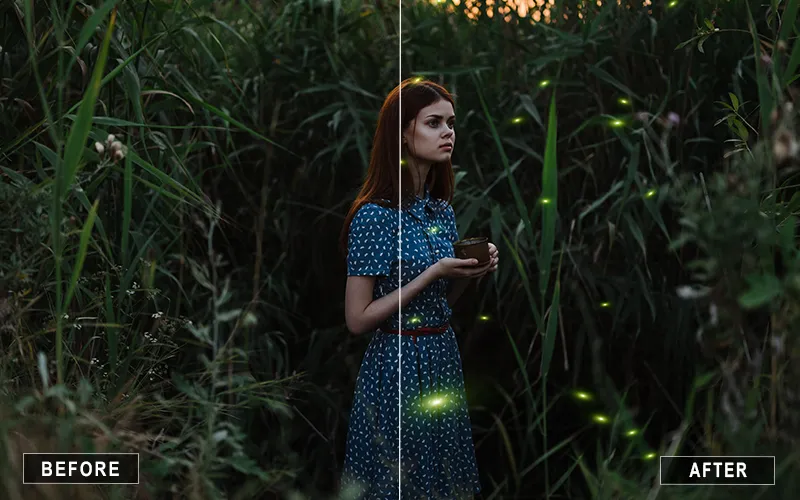
Firefly Photoshop Overlay
Sparklers Overlays
Fire Photoshop Overlay
White Feather Overlays
Petals Overlay Photoshop
Categories Included
• 100 Balloons PS Overlays
• 50 Black Feathers Overlays
• 80 Bokeh Overlays
• 101 Bubbles Overlays
• 33 Confetti Overlays
• 250 Dust Overlays
• 33 Eye Colors Overlays
• 5 Fire Overlays
• 20 Fireflies Overlays
• 40 Fireworks Overlays
• 45 Flying Lanterns Overlays
• 75 Flying letters overlays
• 100 Flying paper overlays
• 39 Fog overlays
• 103 Leaf overlays
• 100 Balloons PS Overlays
• 50 Black Feathers Overlays
• 80 Bokeh Overlays
• 101 Bubbles Overlays
• 33 Confetti Overlays
• 250 Dust Overlays
• 33 Eye Colors Overlays
• 5 Fire Overlays
• 20 Fireflies Overlays
• 40 Fireworks Overlays
• 45 Flying Lanterns Overlays
• 75 Flying letters overlays
• 100 Flying paper overlays
• 39 Fog overlays
• 103 Leaf overlays
What Makes This Bundle Stand Out
• 2000+ High-Quality Overlays
• Compatible with Windows & Mac
• Works with Photoshop, Affinity, Luminar, GIMP & more
• Instant Digital Download
• Instructions guide included
Extended Commercial Licence Included
✅ Use on unlimited personal and client projects ✅ Sell end products (prints, photo books, digital downloads) with edited images ✅ Post edits on social media, websites, and marketing materials ❎ You cannot resell, share, or redistribute the original preset files
Get Professional Results With Wonderful Adobe Photoshop Overlays
This bundle is compatible with all types of photo editing software, including Photoshop, Affinity Photo, Luminar, Gimp, and more.
No matter what operating system you’re using, our overlays will seamlessly integrate with your workflow, allowing you to improve your job easily.
The direct digital download means that once you purchase, you’ll have instant access to all 2,000+ overlays—ready to use whenever inspiration strikes.
This bundle of Adobe Photoshop overlays was crafted with professionals and hobbyists in mind, ensuring anyone can easily create stunning visuals.
Each overlay is crafted with attention to detail, ensuring the final result is always crisp, clean, and high-quality.
This bundle provides many opportunities to enhance your work, whether working on client assignments or engaging in personal creative adventures.
What’s In It For You?
Instantly Transform Your Photos – Add mood, drama, or sparkle with just a few clicks. From skies and rain to fireworks and light leaks, there’s an overlay for every vibe.
Save Hours of Editing Time – No more starting from scratch. These ready-to-use overlays help you achieve professional results in minutes.
Elevate Your Creative Freedom – Whether you want subtle atmosphere or bold, cinematic effects, 2000+ options give you endless ways to play.
Stand Out with Unique Looks – Make your photos scroll-stopping, portfolio-worthy, and client-ready with effects most photographers overlook.
Learn & Grow Effortlessly – Even if you’re new to overlays, step-by-step instructions make it simple to blend, customize, and master them.
All-in-One Variety Pack – Skies, rain, fog, magic lights, bokeh, fireworks — everything you need in one download.
Frequently Asked Questions
How do I get the overlays after purchase?
Once your purchase is complete, you’ll receive an instant download link with all the overlays neatly organized in folders by category.
Can I use these overlays for commercial projects?
Yes, you can use them in personal and commercial projects. The only restriction is you can’t resell or redistribute the overlays themselves.
What software do I need to use these overlays?
The overlays are designed for Adobe Photoshop, but they can also be used with GIMP, Affinity Photo, or any editing software that supports layers and blending modes.
What file format are the overlays in?
All overlays are provided in high-resolution PNG and JPEG formats, making them easy to drag, drop, and blend with your photos.
Your Best Photoshop Edits Start Here!
Reviews
There are no reviews yet.
Be the first to review “2000+ Photoshop Overlays for Your Edits” Cancel reply



























Reviews
There are no reviews yet.