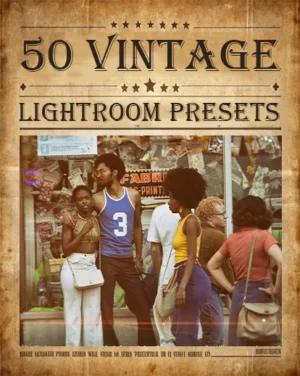
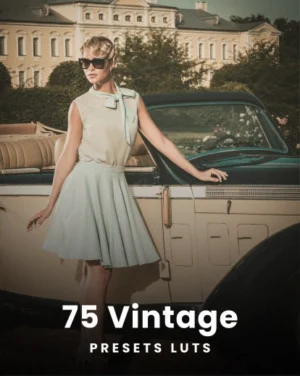
Give your photos a timeless look with our 50 Vintage Lightroom Presets Bundle. This collection adds a nostalgic touch to any image, using soft colors, classic film effects, and retro tones. Perfect for photographers, bloggers, and creatives, these presets transform your photos in just a few clicks.
Choose from 6 lovely categories to get the exact look you want. Each preset is easy to adjust, so you can create the perfect mood for your photos, whether for a soft, faded memory or a bold retro vibe.
This vintage bundle works smoothly on desktop and mobile Lightroom, making it simple to edit wherever you are. Add a beautiful vintage effect to portraits, landscapes, travel shots, or everyday photos. Download now and give your images that classic, timeless feel!
If you want to add warmth, depth, and a sense of history to your work, these presets are your perfect editing tool. Download the bundle today and start creating captivating photos with a touch of classic beauty.
How To Apply Presets In Lightroom
Using presets in Lightroom is simple. First, download your preset files and open Lightroom. On the desktop, go to the Develop module, find the “Presets” panel, and click the “+” icon to import. On mobile, open each preset file (usually DNG) and save it as a preset.
To use, open your photo, go to the Presets panel, and click a preset to apply it instantly. You can then adjust settings like exposure or contrast to get the perfect look. Once you’re satisfied, save or export your edited image. Presets make it easy to create professional, polished photos in seconds!
Frequently Asked Questions
Are these vintage Lightroom presets beginner-friendly?
Yes, these presets are designed for both beginners and professional photographers. Simply import the presets into Lightroom and apply them instantly to your photos without advanced editing skills.
Do these presets work on Lightroom Mobile?
Yes, the bundle works with Lightroom Mobile and Lightroom Desktop. You can edit photos on your phone, tablet, Mac, or Windows device easily.
What styles are included in this vintage presets bundle?
This bundle includes multiple retro editing styles such as 90s vintage presets, 1960s film-inspired looks, dark vintage tones, nostalgic matte effects, aesthetic retro filters, and vintage black-and-white edits.
Do these presets work with RAW and JPEG photos?
Yes, the presets work with both RAW and JPEG image formats.
Are these presets compatible with all Lightroom versions?
Yes, these presets are compatible with most modern versions of Adobe Lightroom, including Lightroom Classic, Lightroom CC, and Lightroom Mobile.
Grab This Fantastic Bundle Now!
Reviews
There are no reviews yet.
Be the first to review “50 Best Vintage Lightroom Presets” Cancel reply









Reviews
There are no reviews yet.